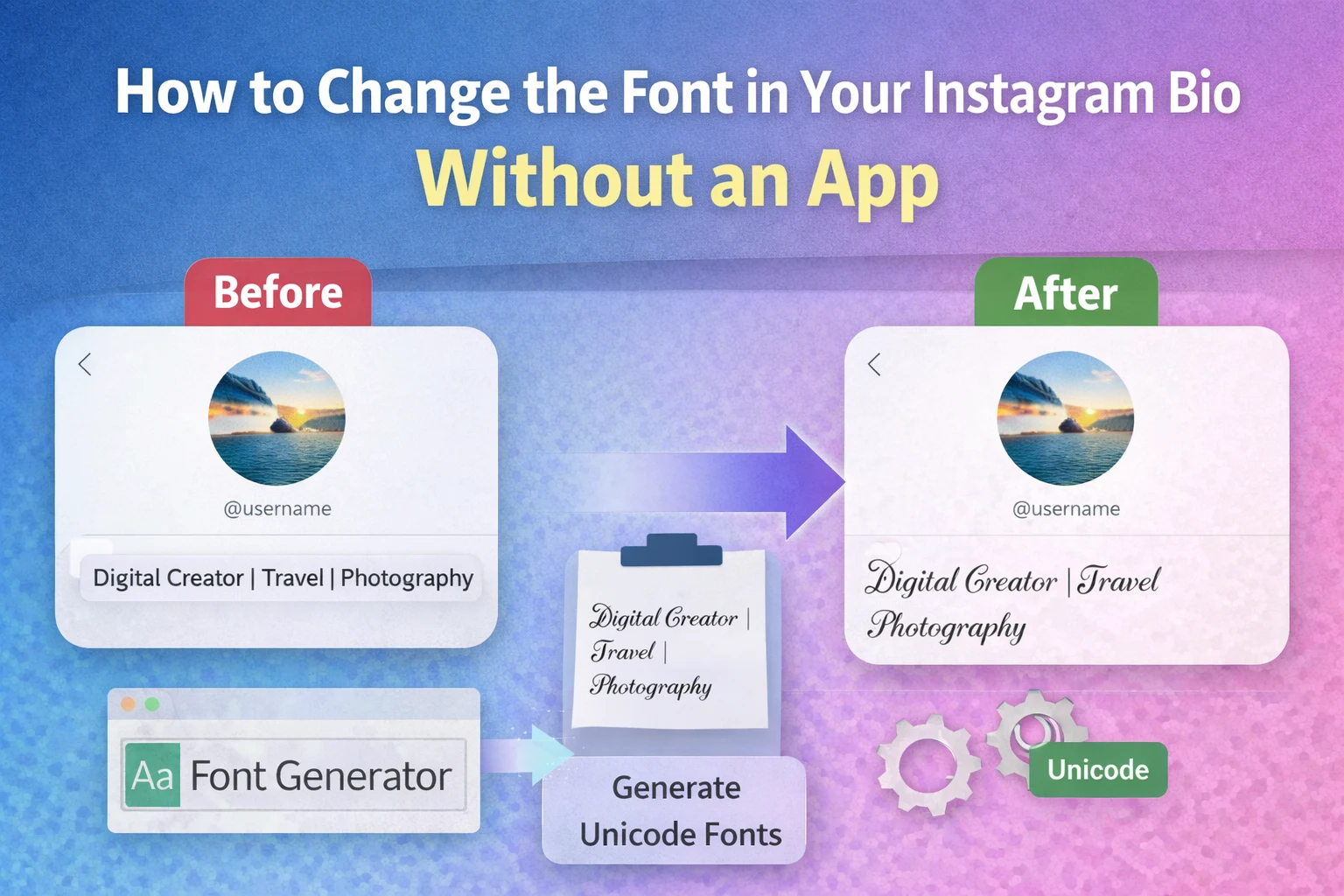
Changing the font in an Instagram bio means converting standard text into Unicode-based stylized characters and then pasting the result into the Instagram profile bio field. Instagram does not provide built-in font customization, but Unicode text styles allow users to display decorative fonts such as cursive, bold script, gothic, and aesthetic lettering inside bios.
Instagram bios are limited to 150 characters, so formatting the text with styled fonts helps profiles stand out visually without increasing the character length. Unicode characters render across most platforms including Instagram, Facebook, Twitter, and messaging apps, which makes copy-paste font tools a common solution for bio styling.
This guide explains how Instagram fonts work, how to change your Instagram bio font without installing an app, examples of styled bio text, and how to generate custom fonts instantly using online tools.
What Does Changing the Font in an Instagram Bio Mean?
Changing the font in an Instagram bio means replacing normal ASCII letters with stylized Unicode characters that visually resemble different fonts.
Instagram supports Unicode characters in profile text fields. Unicode is a global encoding standard maintained by the Unicode Consortium that includes thousands of character variations such as:
- Mathematical bold characters
- Script letters
- Gothic characters
- Small caps letters
- Circled characters
For example:
| Normal Text | Stylized Bio Font |
|---|---|
| Hello | 𝓗𝓮𝓵𝓵𝓸 |
| Creator | 𝓒𝓻𝓮𝓪𝓽𝓸𝓻 |
| Digital | 𝔇𝔦𝔤𝔦𝔱𝔞𝔩 |
These stylized characters look like different fonts but technically remain Unicode glyph substitutions rather than actual font changes.
Why Do People Change Fonts in Instagram Bios?
People change fonts in Instagram bios to improve profile visibility, express personality, and create visual hierarchy in short profile descriptions.
Instagram profiles compete visually in search results and follower lists. Stylized text helps differentiate a bio without using images or emojis.
The most common reasons include:
- Brand identity: creators or businesses use consistent typography styles.
- Aesthetic profiles: lifestyle accounts use script or cursive fonts.
- Highlighting keywords: bold or gothic fonts emphasize roles such as “Designer” or “Founder”.
- Visual hierarchy: combining emojis and fonts improves readability.
- Social media branding: stylized bios look consistent across TikTok, Instagram, and YouTube.
Marketing studies from social media research platforms such as Hootsuite and Later show that profiles with visually structured bios have higher profile interaction rates because users scan text faster when formatting elements are present.
How to Change the Font in Your Instagram Bio Without an App
To change the font in your Instagram bio without installing an app, generate stylized text using an online Unicode font tool and paste it into the Instagram bio field.
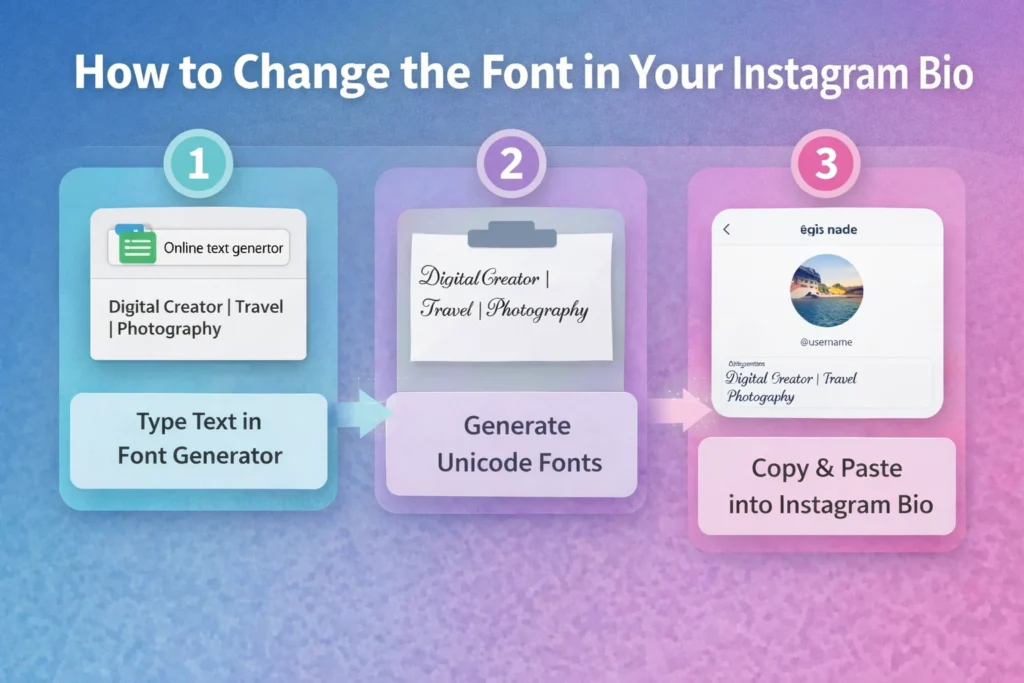
Step-by-Step Method
- Open a Unicode font generator Visit an online text styling tool that converts normal letters into Unicode styled characters.
- Type your Instagram bio text Enter your bio description such as
Digital Creator | Travel | Photography. - Choose a font style Select from styles such as:
- Script
- Bold serif
- Gothic
- Small caps
- Bubble text
- Copy the generated text The tool produces several stylized variations. Copy the version you prefer.
- Paste into Instagram bio
- Open Instagram
- Go to Profile
- Tap Edit Profile
- Paste the stylized text into the Bio field
- Save the profile Tap Done to update the bio.
This process requires no installation and works entirely through copy-paste text conversion.
Generate Instagram Bio Fonts Using an Online Tool
Users can generate Instagram bio fonts instantly by using online text generators such as TextToolz’s Instagram font generator.
These tools convert normal characters into Unicode equivalents that Instagram supports.
Example:
| Input Text | Instagram Font Output |
|---|---|
| Digital Creator | 𝒟𝒾𝑔𝒾𝓉𝒶𝓁 𝒞𝓇𝑒𝒶𝓉𝑜𝓇 |
| Travel Blogger | 𝕋𝕣𝕒𝕧𝕖𝕝 𝔹𝕝𝕠𝕘𝕘𝕖𝕣 |
| Coffee Lover | 𝓒𝓸𝓯𝓯𝓮𝓮 𝓛𝓸𝓿𝓮𝓻 |
Using a tool automates the Unicode mapping process and produces multiple font variations instantly.
What Are the Most Popular Instagram Bio Fonts?
The most popular Instagram bio fonts are script fonts, bold serif fonts, gothic fonts, and small caps text styles.
Each style creates a different aesthetic identity.
Common Instagram Bio Font Styles
- Script fonts Example: 𝓢𝓬𝓻𝓲𝓹𝓽 𝓢𝓽𝔂𝓵𝓮
Often used for lifestyle or aesthetic profiles. - Bold serif fonts Example: 𝐁𝐨𝐥𝐝 𝐓𝐞𝐱𝐭
Common for professional branding. - Gothic fonts Example: 𝔊𝔬𝔱𝔥𝔦𝔠 𝔗𝔢𝔵𝔱
Used in artistic or gaming profiles. - Small caps fonts Example: ᴄʀᴇᴀᴛᴏʀ
Popular for minimal bios. - Bubble fonts Example: ⓑⓤⓑⓑⓛⓔ ⓣⓔⓧⓣ
Used in fun or playful profiles.
Each font style works because Instagram’s text fields support Unicode glyph substitution rather than traditional typography rendering.
Examples of Instagram Bios With Stylized Fonts
Styled bios combine Unicode fonts, emojis, and structured formatting.
Example 1 – Creator Profile
𝓓𝓲𝓰𝓲𝓽𝓪𝓵 𝓒𝓻𝓮𝓪𝓽𝓸𝓻
📍 New York
📸 Photography | Travel
Example 2 – Business Profile
𝐒𝐨𝐜𝐢𝐚𝐥 𝐌𝐞𝐝𝐢𝐚 𝐀𝐠𝐞𝐧𝐜𝐲
Helping brands grow online
👇 Portfolio
Example 3 – Personal Profile
ᴄᴏғғᴇᴇ • ᴛʀᴀᴠᴇʟ • ᴄᴏᴅᴇ
Building things on the internet
These bios use Unicode fonts plus structured spacing, which improves readability in Instagram’s mobile interface.
Do Instagram Font Generators Affect SEO or Search?
Instagram font generators do not affect SEO or search visibility because Instagram profile search primarily matches plain text keywords rather than Unicode styling.
Instagram search algorithms focus on:
- Username
- Name field
- Bio keywords
- Hashtags
- Engagement signals
Stylized fonts visually change letters but often represent different Unicode characters, which means search engines may not interpret them as standard words.
For example:
Creator → searchable
𝓒𝓻𝓮𝓪𝓽𝓸𝓻 → may not match keyword search
Because of this, many social media experts recommend mixing normal text with stylized text in bios.
Are Instagram Bio Fonts Safe to Use?
Instagram bio fonts are safe to use because they rely on standard Unicode characters supported by the Instagram platform.
However, some limitations exist:
- Certain Unicode symbols may not render correctly on older devices
- Excessively stylized text may reduce readability
- Some characters may not appear in search results
The safest approach is using readable Unicode styles such as bold, script, or small caps.
Conclusion
Changing the font in an Instagram bio without installing an app involves converting normal text into Unicode stylized characters and pasting the output into the Instagram bio field. Instagram supports Unicode characters in profile text, which allows users to display visually distinct lettering styles such as script, gothic, bold serif, and small caps fonts.
Online text styling tools simplify this process by automatically generating multiple font variations that are compatible with Instagram. These fonts improve the visual identity of a profile, highlight keywords, and help bios stand out in follower lists or profile searches. When used carefully with readable formatting, stylized bio text provides a simple method to customize Instagram profiles without requiring design software or mobile applications.