The euro sign is one character, €, which Unicode calls U+20AC EURO SIGN and files as a currency symbol. The pound, cent and yen are U+00A3, U+00A2 and U+00A5. On Windows, hold Alt and type 0128 on the numeric keypad, or press AltGr and 4. On a Mac, press Option and Shift and 2.
There is a second reason the euro gives people trouble, and it has nothing to do with the keyboard. Three of those four signs can be stored in the older character encoding that most systems fall back to, and the euro cannot be stored in it at all. That is why the euro breaks in places the pound does not, on the same machine, in the same application. It is measured further down.
How Do You Type the Euro Sign?
Three routes exist: a numeric code, a dedicated key on the keyboard layout, and a character picker. Which of them you have depends on your keyboard rather than on your operating system, which is why the answers you find contradict each other.
On Windows with a numeric keypad
Hold Alt, type 0128 on the numeric keypad, then release Alt. Num Lock must be on and the digits must come from the keypad rather than the number row above the letters. The leading zero is not decoration and is not optional: it decides which internal table Windows reads the number from. That mechanism is measured on our page about the degree symbol, where the same rule inverts and gives you the wrong character, so it is worth understanding once rather than memorising per symbol.
On Windows without a numeric keypad
Press AltGr and 4 together. On the US International layout it is AltGr and 5 instead. This is the route that depends on the keyboard rather than the machine, and it is why so many people conclude the shortcut is broken: on a plain US layout there is no AltGr key at all, and the combination does nothing. Microsoft’s own answer page ranking for this query exists because of exactly that confusion. The route that always works regardless of layout is the emoji panel: press Windows and the period key, choose the omega symbols tab, and pick the sign.
On a Mac
Press Option and Shift and 2 on a US layout. On a UK layout it is Option and 2, without the Shift, which is the same layout dependence running in the other direction and it catches people who move between machines regularly. If you would rather look the character up than remember which of the two applies, press Control and Command and Space to open the Character Viewer and search it for the word euro.
In Word, Excel, PowerPoint and Outlook
The answer is the same in all four, which is why this is one section rather than four. Insert, then Symbol, finds the sign in every one of them. Word additionally accepts the Unicode route: type 20AC and press Alt and X immediately after. All four Office applications also bind Ctrl and Alt and E directly to the euro sign. There is one Excel-specific point the general guides omit: a euro sign typed into a cell turns that cell into text, so if the number has to stay a number and be added up, apply the euro through currency formatting instead and leave the value alone.
In Google Docs, Sheets and Gmail
In Google Docs, use Insert, then Special characters, and search the panel for the word euro. Sheets and Gmail have no equivalent picker, so there the answer is either an operating-system method from above or a substitution rule that turns a string of your choosing into the character as you type. This section exists because of a genuine gap in what ranks: five of the related searches Google itself lists under this query name a Google product, and not one of the pages ranking for it covers any of them.
On a phone
Switch to the symbols layout and press and hold the currency key. The alternatives appear in a pop-up above your finger, including the euro, the pound and the yen. Which sign appears on the key itself before you hold it depends on the phone’s region setting, so the default under your finger is usually your local currency and the rest are hidden behind the long press. That is worth knowing because it makes the key look like it only does one thing.
How Do You Type the Pound, Cent and Yen Signs?
The same way, with different numbers: Alt 0163 for the pound, Alt 0162 for the cent, Alt 0165 for the yen. On a Mac, Option and 3 gives the pound and Option and 4 gives the cent.
The pound sign
Alt 0163 on Windows, Option and 3 on a Mac. On a UK keyboard layout none of that is necessary, because the pound is simply Shift and 3, printed on the key. On a US layout that same physical key gives you a hash instead and the pound sign is not on the keyboard anywhere. This is the clearest example on this page of the point made throughout it: the question of how to type a character often has a different answer on two machines running identical software.
The cent, yen and rupee signs
Alt 0162 gives the cent and Alt 0165 gives the yen. The Indian rupee, ₹, has no Alt code of that kind at all, and needs the hexadecimal route, 20B9 followed by Alt and X in Word, or a character picker anywhere else. That absence is not an oversight in this page or in Windows. It is the beginning of the next section, because the rupee and the euro have something in common that the pound, cent and yen do not.
Why Can’t I Type the Euro Sign on My Keyboard?
There are two entirely different reasons, and they get mistaken for each other constantly. The first is the keyboard, and it is well covered: four of the seven pages ranking for this query explain AltGr and the difference between UK, European and US layouts, including Microsoft’s own answer page. If your AltGr combination does nothing, that is the reason, and the sections above are the fix.
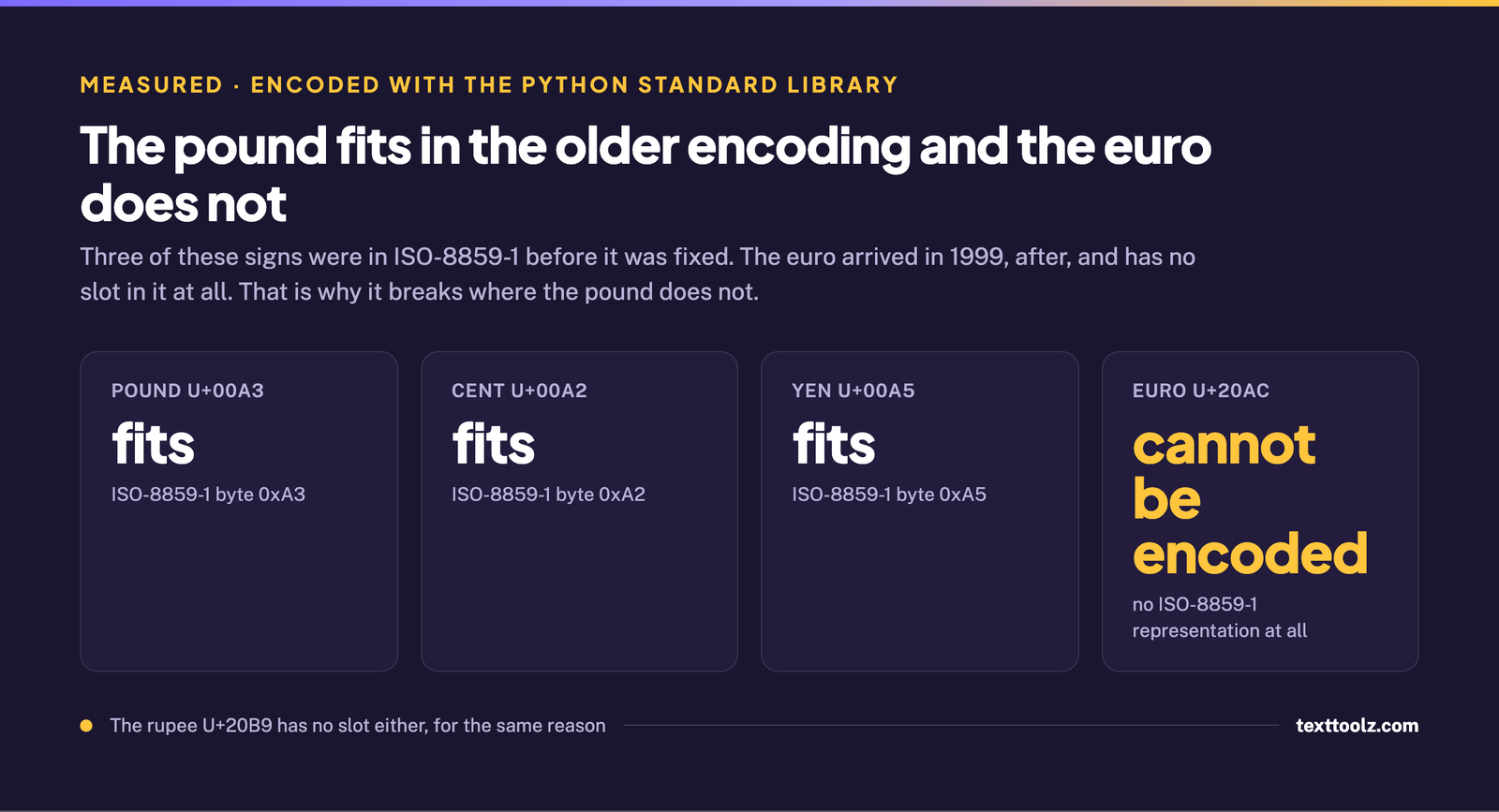
The second reason is the encoding, and nothing on this search covers it. Older text systems fall back to ISO-8859-1, usually called Latin-1. Encoding each sign through the Python standard library shows which of them that older standard can hold at all:
| Character | Fits in ISO-8859-1? | Byte |
|---|---|---|
£ pound U+00A3 |
Yes | 0xA3 |
¢ cent U+00A2 |
Yes | 0xA2 |
¥ yen U+00A5 |
Yes | 0xA5 |
€ euro U+20AC |
No, cannot be encoded at all | none exists |
₹ rupee U+20B9 |
No, cannot be encoded at all | none exists |
The reason is chronology. The pound, cent and yen were in the standard before it was finalised. The euro was introduced in 1999, after ISO-8859-1 was fixed and could no longer be added to, and the rupee sign is more recent still. So the euro has no representation in that encoding whatsoever, while the pound has had one all along.
This is what makes the problem feel like a keyboard fault when it is not. The pound works and the euro does not, on the same machine, in the same application, typed the same way. Wikipedia’s article on the euro sign already explains the related half of this, that Microsoft allocated byte 0x80 in Windows-1252 to the euro, and credit for that belongs to it. What is added here is the asymmetry: which signs the older standard can hold and which it cannot.
Why Does My Euro Sign Show as Strange Characters?
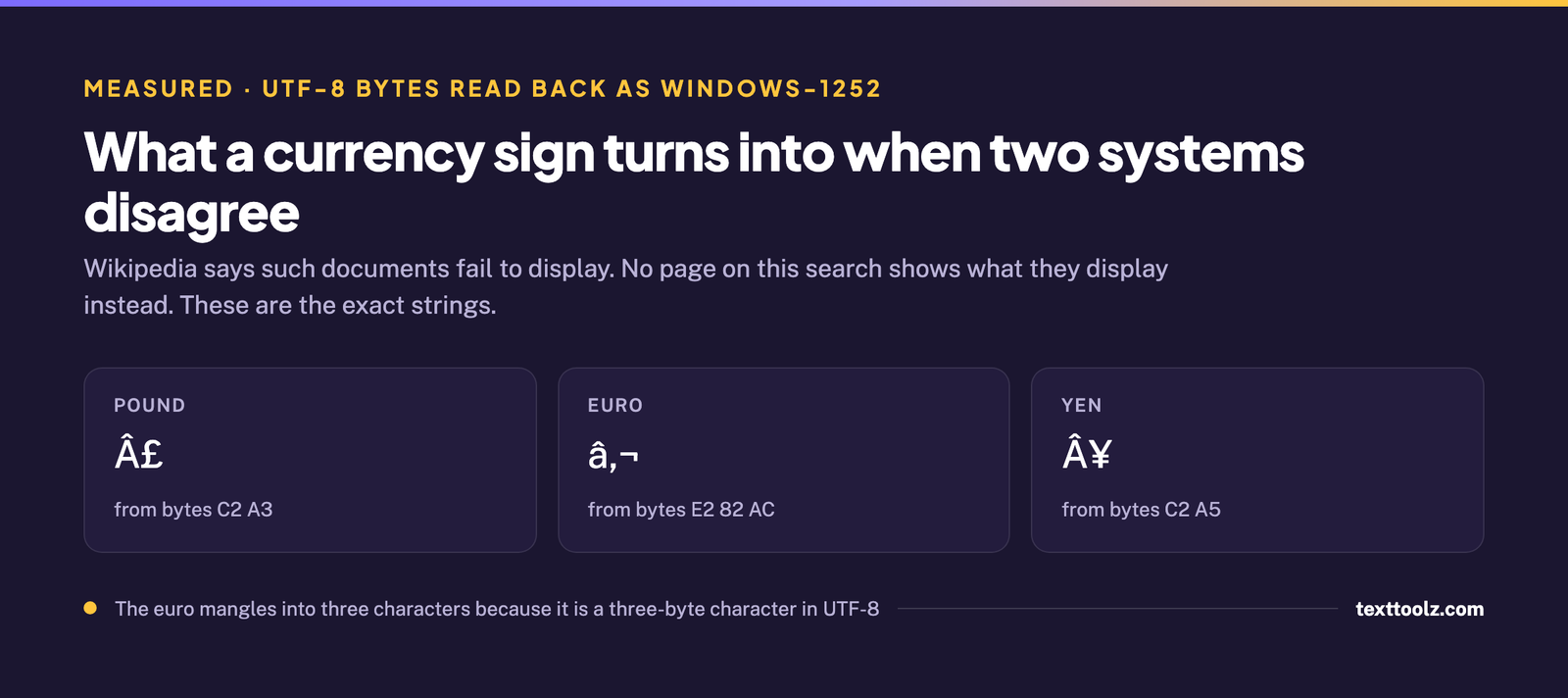
Because one program wrote the text as UTF-8 and another read those same bytes as Windows-1252, and neither of them reported an error. The characters you end up with are completely predictable, and they are worth recognising on sight because they tell you exactly what went wrong.
| Character | UTF-8 bytes | What appears instead |
|---|---|---|
£ pound |
C2 A3 |
£ |
€ euro |
E2 82 AC |
€ |
¥ yen |
C2 A5 |
Â¥ |
Wikipedia states that documents exchanged between systems that made different encoding choices would fail to display, and that is accurate as far as it goes. It does not show what they display instead, and no other page ranking for this question does either. The strings above are what actually appears on a mispriced product page or in a spreadsheet exported from the wrong system.
One detail makes them diagnosable at a glance. The euro turns into three characters where the pound and yen turn into two, because the euro is a three-byte character in UTF-8 and the other two are two-byte. So a price list full of two-character garbage was probably pounds, and one full of three-character garbage was euros. This is the same class of silent failure as the invisible characters that survive a copy and paste: nothing errors, and the text is simply wrong.
What This Page Does Not Claim
No keystroke here was tested by us. There is no Windows machine in this environment, so every shortcut is reported as what its named source publishes, and the encoding results are arithmetic performed with the Python standard library.
Two things on this page were established by other people first and are credited where they are used rather than presented as findings. Keyboard layout and the AltGr key are carried by four of the seven pages ranking for this query, Microsoft’s own answer page among them. The allocation of byte 0x80 to the euro in Windows-1252 is published by Wikipedia. Worth saying plainly: the plan for this page proposed keyboard-layout dependence as the thing nobody had covered, and reading the ranking pages showed that four of them cover it thoroughly. That half of the plan was dropped rather than written.
How This Guide Was Built
Eight ranking results were captured live on 3 September 2026 with the country set to the United States and personalisation off, and the AI Overview was captured twice to confirm it was stable. Seven of the eight were extracted in full at no cost. The eighth is recorded as blocked with the tool and the reason: it returned nothing behind a Cloudflare wall, and a paid fetch was not spent on it because Microsoft’s answer page in the same result set covers the identical question of typing the euro without a numeric keypad.
Keyword research was run the same day against Google autocomplete. That source publishes no search volume and none is quoted here. Encoding behaviour was measured with Python 3.12.13 and the standard library cp1252 and latin-1 codecs, and character properties with unicodedata at Unicode version 15.0.0.
Sources credited by name above: Wikipedia and Microsoft Learn.