Binary to text conversion reads a string of ones and zeros in groups of eight, treats each group as a number between 0 and 255, and looks that number up in a character encoding table. That is the whole mechanism, and every converter on the first page of results demonstrates it the same way: one group in, one letter out.
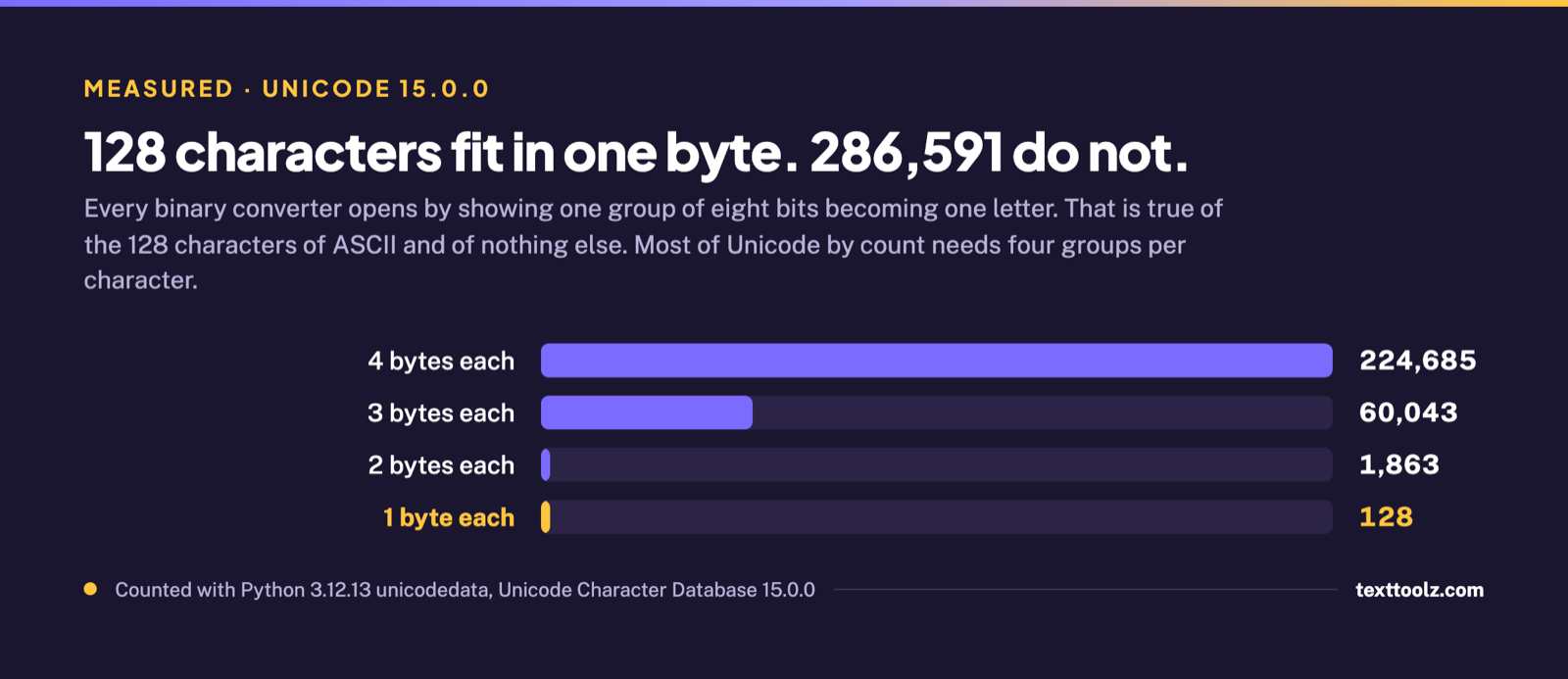
What the demonstration leaves out is that a converter turns bits into bytes, and a byte is a whole character for only 128 of the 286,719 characters Unicode currently assigns. That is 0.0446 percent, counted with Python 3.12.13 against Unicode Character Database version 15.0.0. Every other character takes two, three or four groups, and 224,685 of them take four.
The consequence is the part nobody publishes. The same 40 bits can produce two different readable words depending on which encoding the converter assumes, and neither reading raises an error. This article shows that happening, puts numbers on how often a character exceeds one byte, and gives four checks for telling a correct conversion from a plausible wrong one.
What Does a Binary to Text Converter Actually Convert?
A binary to text converter converts bytes, and a byte is a character only when the character is one of the 128 in ASCII. The process runs in three steps and none of them involves characters until the last one.
- The bit string is split into groups of eight. Eight bits is one byte, which is why a valid input length is always a multiple of eight.
- Each group is read as an unsigned number, so
00000000is 0 and11111111is 255. - Each number is looked up in a character encoding. This is the step where a byte becomes something you can read, and it is the step where two converters can disagree.
Take the five groups 01100011 01100001 01100110 11000011 10101001. Read as numbers those are 99, 97, 102, 195 and 169. The first three are ASCII: 99 is c, 97 is a, 102 is f. The last two are not, and what happens to them is the subject of the rest of this page.
The reason 99 is reliably c is that the first 128 numbers mean the same thing in every encoding still in use. That block is ASCII, it covers the unaccented English alphabet in both cases, the digits, and common punctuation, and if you need the value of a specific letter our ASCII table lists every one of them.
Above 127 the agreement stops. Counted against Unicode Character Database 15.0.0 by walking every assigned codepoint and encoding it to UTF-8, the assigned characters divide like this.
| Bytes needed in UTF-8 | Assigned characters | Share |
|---|---|---|
| 1 byte | 128 | 0.0446% |
| 2 bytes | 1,863 | 0.65% |
| 3 bytes | 60,043 | 20.9% |
| 4 bytes | 224,685 | 78.4% |
| Total assigned | 286,719 | 100% |
Counted with Python 3.12.13 and its unicodedata module at Unicode Character Database 15.0.0.
The one-group-one-letter rule that every converter demonstrates is true of about one twenty-thousandth of the characters a person can type. It is not wrong, and for plain English it is exactly right. It is just a description of the smallest corner of the character set.
What Happens to Characters That Need More Than One Byte?
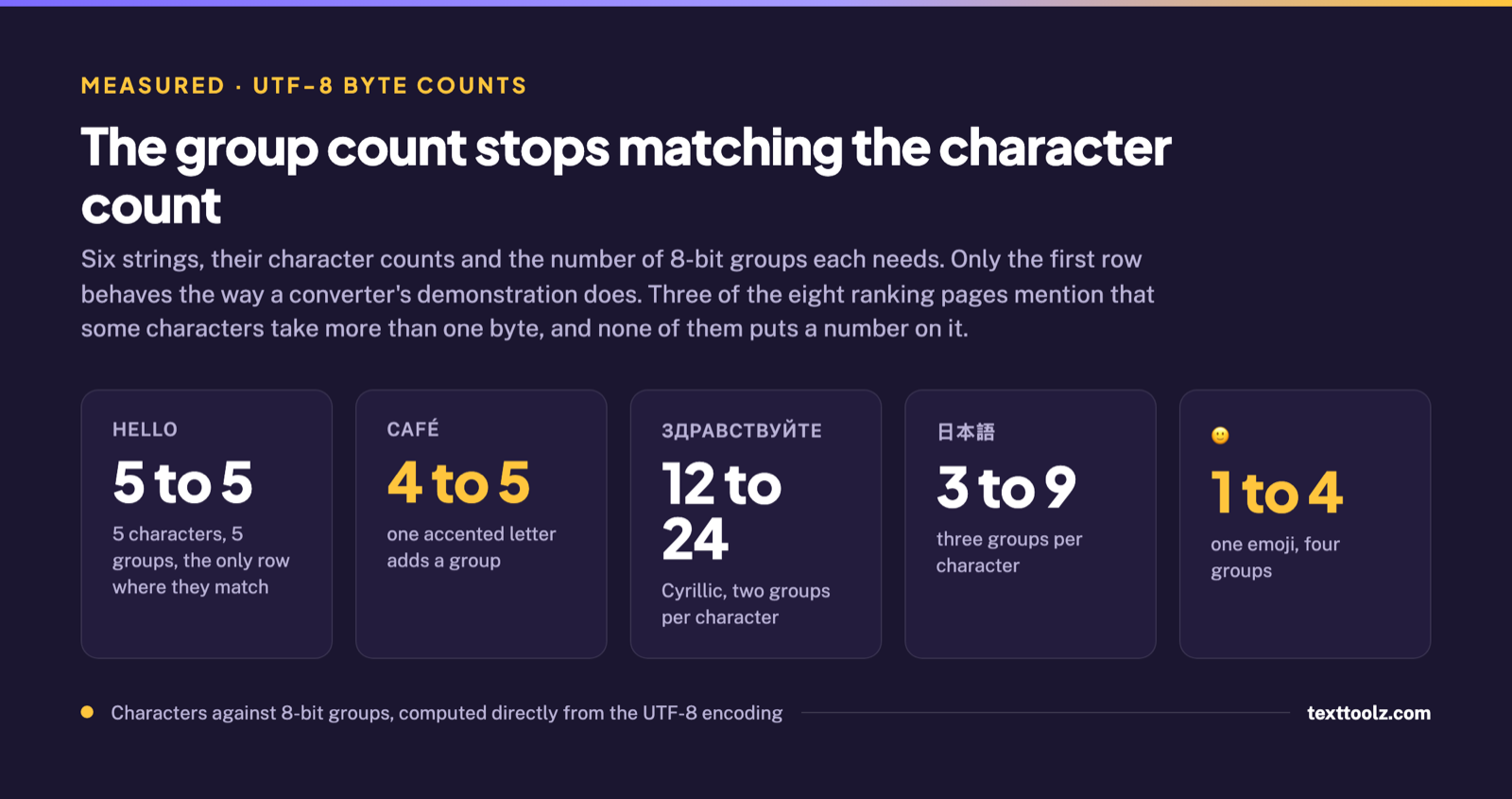
They take more groups, so the bit string stops matching the character count. This is not a malfunction and nothing goes missing: the character round-trips correctly, it simply occupies two, three or four groups instead of one. What breaks is the assumption that counting the groups tells you how long the text is.
| Text | Characters | 8-bit groups | Groups per character |
|---|---|---|---|
| hello | 5 | 5 | 1.00 |
| café | 4 | 5 | 1.25 |
| naïve | 5 | 6 | 1.20 |
| Здравствуйте | 12 | 24 | 2.00 |
| 日本語 | 3 | 9 | 3.00 |
| 🙂 | 1 | 4 | 4.00 |
Character counts and UTF-8 byte counts computed directly, same instrument as above.
Three of the eight ranking pages read for this article mention that some characters take more than one byte. None of them puts a number on it. The practical use of the number is a sanity check that costs nothing: if a bit string has far more groups than the text has characters, the text is not plain English, and a converter that assumes it is will produce something wrong rather than something empty.
Why Does Converted Text Come Out as Gibberish?
Because the converter assumed the wrong encoding, and a wrong assumption produces readable text instead of an error. This is the failure that costs people time, and it is worth seeing rather than reading about.
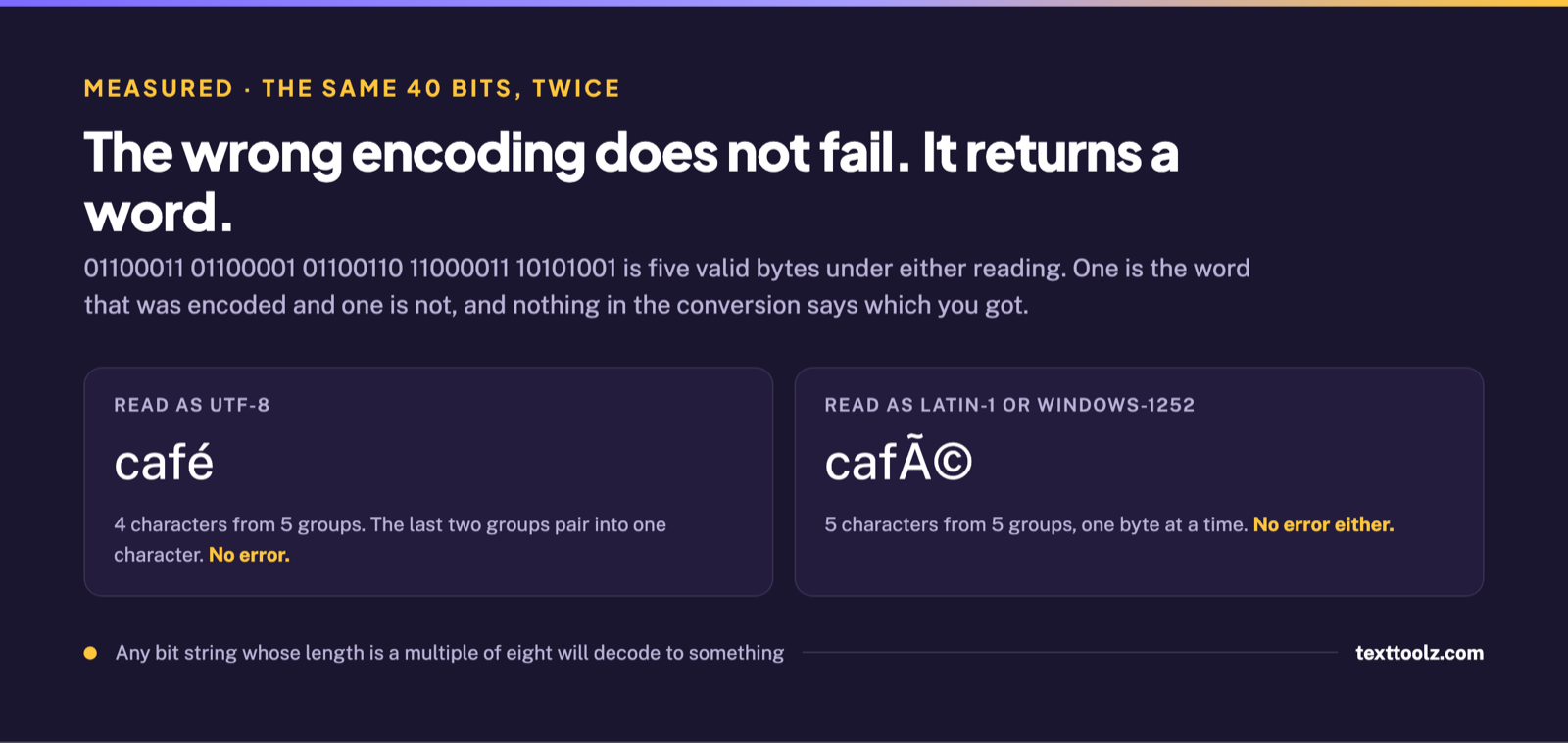
Those same five groups again:
01100011 01100001 01100110 11000011 10101001Decoded as UTF-8, the modern default, the last two groups pair up into a single character and the result is café: four characters from five groups. Decoded as Latin-1 or Windows-1252, one group at a time, the result is café: five characters from five groups.
Neither decoding raises an error. Both are five valid bytes, both produce printable characters, both look like a successful conversion, and the only way to tell them apart is to look at the output and recognise that café is not a word. There is no exception thrown, no warning, and no red text.
That generalises, and the general form is the thing to remember. Any bit string whose length is a multiple of eight will decode to something. A converter cannot tell you that your bits meant a different encoding, because there is nothing in the bits that says so. Output appearing is not evidence that the output is right.
The signature to watch for is specific. A UTF-8 string read one byte at a time turns each accented character into two or three odd Latin letters in a row, usually including Ã, Â, â or a symbol like © or ¬. If a conversion comes back with those clusters where single accented letters should be, the bits were fine and the encoding was not.
Which Encoding Is the Converter Using?
Most converters do not say, and exactly one of the ten results ranking for this query lets you choose. The tool published by OpenReplay carries an explicit UTF-8 and ASCII control, confirmed by reading the buttons on its own rendered page. Its written explanation is the shortest of the eight text pages examined, at 286 words, and it is the only one in the set that hands the decision to the user rather than making it silently.
Among the eight pages, six mention UTF-8 somewhere in their copy, four name Unicode, three mention that characters can take more than one byte, one mentions accented characters, and one warns that mismatched encodings can garble text. That warning, on the Teleport page, is the strongest statement on the whole search and it is still only advice: it tells the reader to verify that the encoding aligns, without showing what a misaligned one produces.
There is one error a binary converter does raise, and it is worth naming because of the contrast. Feed it a bit string whose length is not a multiple of eight and it will refuse, usually with a message about the input not being a multiple of 8. That is the harmless failure. It stops you, you notice, you fix the input. The dangerous one produces café and lets you carry on.
How Do You Tell Whether the Output Is Right?
Four checks separate a correct conversion from a plausible wrong one, and each comes from something measured above rather than from general advice.
- Compare the group count to the character count. If the bit string has noticeably more groups than the output has characters, the text contains non-English characters, which is normal. If the counts match exactly but the text should contain accents, the accents were flattened.
- Look for Ã, Â and â clusters. Two or three odd Latin letters standing where one accented character belongs is the signature of UTF-8 bytes read one at a time.
- Check whether the tool states its encoding. If it does not, and your text is not plain English, you are relying on its default being the same as your source’s default.
- Round-trip a known string. Convert a short word containing an accented character to binary and back. If it returns unchanged, the tool and your text agree; if it comes back with clusters, they do not.
So What Should You Expect From a Binary to Text Converter?
Reliability for the 128 characters of ASCII, and an unannounced guess for everything else. The guess is usually UTF-8, and for text produced by anything modern the guess is usually right, which is why the problem stays invisible until it does not. The important property is not the accuracy rate but the shape of the failure: when the guess is wrong, the tool does not stop, does not warn, and hands back something readable.
That is what the 0.0446 percent figure at the top actually means in practice. One hundred and twenty-eight characters convert with certainty. The other 286,591 convert correctly whenever the encoding matches and convert into plausible nonsense whenever it does not, with no signal either way. If you are converting plain English, none of this will ever bite you. If you are converting anything else, check the output before you trust it.
To run a conversion in either direction, use our binary converter. To look up the value of a specific character rather than convert a string, the ASCII table lists all 128 of them.