About the D&D Monk Name Generator
A D&D monk name is the name of the character's race, optionally followed by a title earned at their monastery. The rules contain no monk naming system: the Player's Handbook publishes naming conventions race by race, and the class chapter publishes none. This generator carries 21 race settings, 8 monastic traditions and separate male and female tables, and it deliberately does not generate real Buddhist, Shaolin, Christian or Hindu monastic names, for reasons set out below.
Why does a D&D monk's name come from their race?
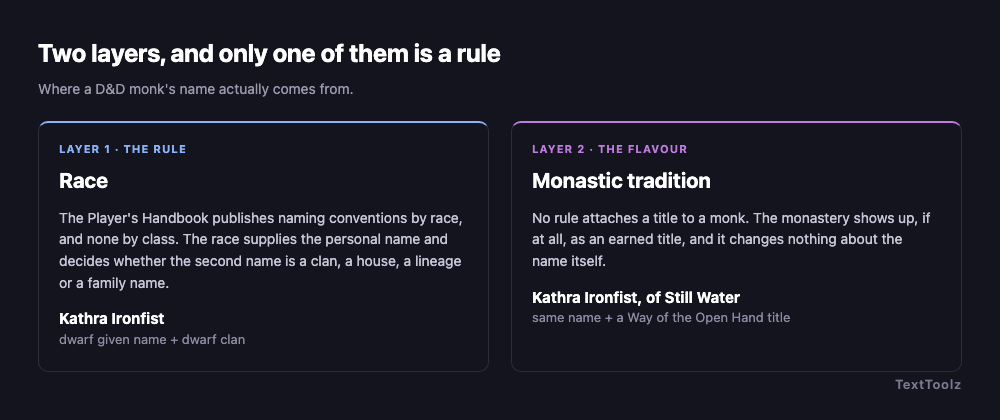
A D&D monk's name comes from their race because race is the only category the game gives naming tables to. There is no monk naming system, no fighter naming system and no wizard naming system. Class decides what a character does at the table, and race decides what the other players call them.
This is where monk name lists come apart most visibly. A monk is the one D&D class whose flavour borrows from real-world monastic traditions, so list pages reach for Sanskrit, Tibetan and Shaolin naming, then emit invented syllables that belong to neither those traditions nor to any D&D race. The fix is to choose the race first, which is why Race is the first control in the tool.
There is a neat confirmation of this available to anyone who searches. Ask Google for D&D monk names and its AI Overview, having produced a list, closes by asking what it would need in order to answer properly: "tell me your monk's race (like Elf, Human, or Tabaxi) and their subclass (like Way of the Open Hand or Shadow)". Race and subclass, in that order. That is not our editorial line, it is what the answer engine asks for when it wants to stop guessing, and it is the two controls this generator ships.
What second name does each D&D race use?
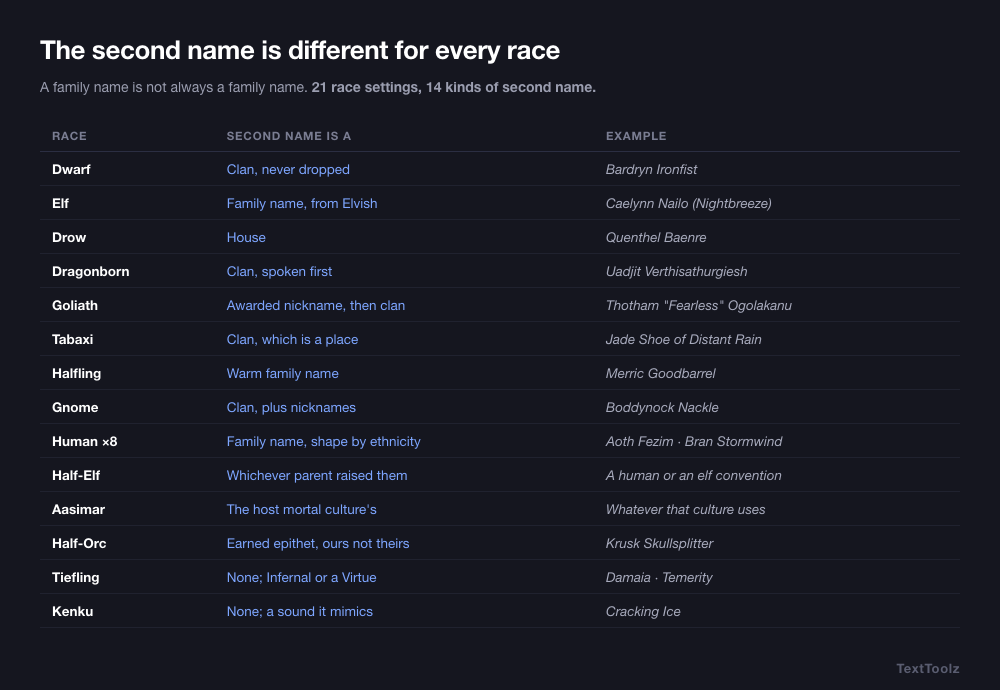
Each D&D race uses a different kind of second name, not merely a different sound. The table groups the 21 race settings this generator carries into the 14 rows below, what the second name actually is, and a worked example. Four different objects, clan, house, lineage and family name, are doing the same structural job.
| Race | Second name is a | Example |
|---|---|---|
| Dwarf | Clan, and it is never dropped | Bardryn Ironfist |
| Elf | Family name that translates from Elvish | Caelynn Nailo (Nightbreeze) |
| Drow | House, and the house carries the status | Quenthel Baenre |
| Dragonborn | Long clan name, spoken first on formal terms | Uadjit Verthisathurgiesh |
| Goliath | Awarded nickname, then a clan name | Thotham "Fearless" Ogolakanu |
| Tabaxi | Clan name, which is a place | Jade Shoe of Distant Rain |
| Halfling | Warm family name | Merric Goodbarrel |
| Gnome | Clan name, plus collected nicknames | Boddynock Nackle |
| Human | Family name, and its shape depends on which of the 8 ethnicities | Aoth Fezim, Bran Stormwind |
| Half-Elf | Whichever parent culture raised them | Either a human or an elf convention |
| Aasimar | The host mortal culture they grew up in | Whatever that culture uses |
| Half-Orc | Earned epithet, written for this tool | Krusk Skullsplitter |
| Tiefling | None. An Infernal name or a chosen Virtue | Damaia, or Temerity |
| Kenku | None. The name is a sound it mimics | Cracking Ice |
Humans are one row here and eight settings in the generator. The Forgotten Realms human ethnicities are separate naming systems rather than one pool, and the generator carries eight of them. Treating humans as a single group is the second most common flaw in generated D&D names.
What does a monastic tradition change about a D&D monk's name?
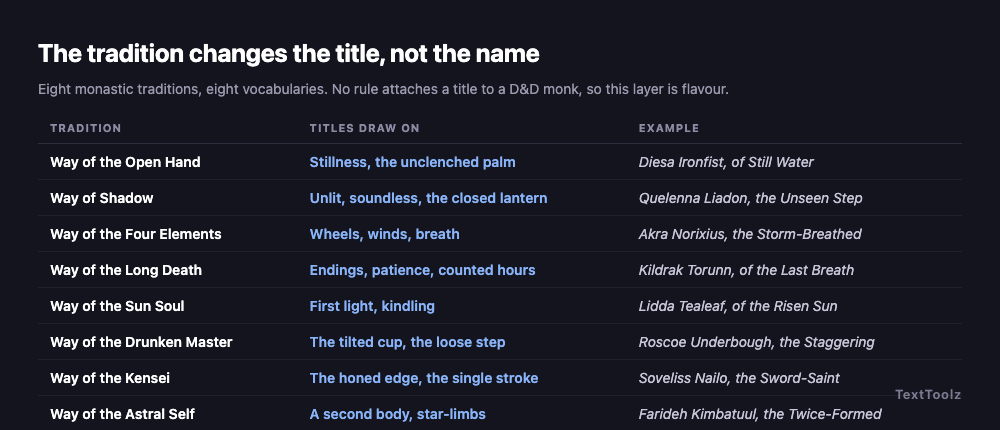
A monastic tradition changes the title and nothing else. It does not touch the personal name or the second name. Eight traditions are available, and each draws its titles from a different vocabulary.
| Tradition | Titles draw on | Example |
|---|---|---|
| Way of the Open Hand | Stillness, the unclenched palm | Diesa Ironfist, of Still Water |
| Way of Shadow | Unlit, soundless, the closed lantern | Quelenna Liadon, the Unseen Step |
| Way of the Four Elements | Wheels, winds, breath | Akra Norixius, the Storm-Breathed |
| Way of the Long Death | Endings, patience, counted hours | Kildrak Torunn, of the Last Breath |
| Way of the Sun Soul | First light, kindling | Lidda Tealeaf, of the Risen Sun |
| Way of the Drunken Master | The tilted cup, the loose step | Roscoe Underbough, the Staggering |
| Way of the Kensei | The honed edge, the single stroke | Soveliss Nailo, the Sword-Saint |
| Way of the Astral Self | A second body, star-limbs | Farideh Kimbatuul, the Twice-Formed |
As with every class layer in D&D, this one is optional: no rule attaches a title to a monk. Layer one is the rules, layer two is flavour, and the generator switches it off with the No title option.
Should a D&D monk keep their race name after taking vows?
There are two defensible answers, and this is the one D&D class where that is true. Every other section on this page argues that race decides the name, because race is the only naming system the rules publish. The monk is the case that deserves an argument rather than an assertion.
The case for keeping the race name. It is what the rules actually supply, it tells the rest of the table what your character is before they see you fight, and a dwarf named Kathra Ironfist who happens to punch things is no stranger than a dwarf who happens to cast things. This is the generator's default, and for most characters it is the right one.
The case for shedding it. In several real monastic traditions the birth name is genuinely replaced at ordination: a dharma name is conferred, and in Chinese and Vietnamese ordination lineages it commonly shares a character with every other student of the same master, so the name records who taught you rather than who bore you. A player who wants that texture has a real practice behind them, and a monk who walked away from a clan is a character hook the other classes do not get for free.
There is a third route, and it is the one players actually reach for. Ask a table how to name a monk raised in a monastery and the answer that comes back is not "keep the clan name" and not "use one word". It is to replace the second name with where they were raised: the monastery, the god it serves, the place it stands in, or the rank they have reached. A monk left at the door of a temple of Lathander, the dawn god, becomes Kathra of the Dawn. One raised at the Monastery of the Yellow Rose becomes Soveliss of the Yellow Rose. This is the same logic that produces a toponymic surname in the real world, and it fits a character whose family is an institution rather than a bloodline.
| Route | Second name comes from | Example | Reads as |
|---|---|---|---|
| Race, the default | Clan, house, lineage or family name | Kathra Ironfist | Raised by her people, took vows later |
| Chosen name | Nothing. One name, taken at ordination | Still Water | Walked away from everything that came before |
| Monastery | The order, its god, its place or a rank | Kathra of the Dawn | The monastery is the family |
How to get any of the three out of this tool. For the first, generate normally. For the second, generate the race name anyway and treat it as the name your character was born with, then take the title on its own as the name they use now: a monk who was Kathra Ironfist and is now known only as Still Water. Set Tradition to the discipline you want and read the title rather than the full line. The tiefling tables do this natively, because the Virtue names, Ideal, Quest, Temerity, are themselves chosen names rather than inherited ones. For the third, generate with Tradition set, then keep the personal name and swap the second name for your monastery: Kathra Ironfist becomes Kathra of the Yellow Rose.
What this page will not do is pretend any of the three is the rule. No published D&D text says a monk loses their race name, and no published text says they must keep it either. Any page presenting one of the three as the rule has crossed from describing the game into inventing it.
What are good female monk names in D&D?
Good female monk names in D&D are drawn from the female table of the chosen race, such as Torbera Fireforge for a dwarf, Quelenna Liadon for an elf, or Uadjit Delmirev for a dragonborn. All 21 race settings carry separate male and female tables, and a name pulled from the wrong one is the single most common tell.
Set Gender to Female and the generator draws only from those tables. Leaving it on Any mixes both, which is the right setting when you are browsing rather than naming one specific character.
Are D&D monk names the same as real Buddhist or Shaolin monk names?
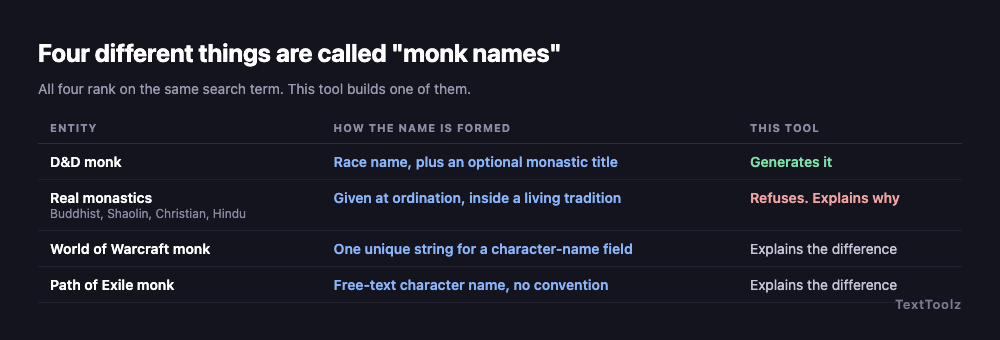
No. Four different things are called monk names, and all four appear in the same search results, which is why so many lists on this subject read as incoherent:
- D&D monks are named by fantasy race and optionally titled by their monastery. That is what this generator produces.
- Real monastics in Buddhist, Shaolin, Christian and Hindu traditions receive their names at ordination, inside a living religious practice with its own customs. These are not generated names and cannot be generated honestly.
- World of Warcraft monks need a single unique string for a character-name field, so those names trend to one invented word.
- Path of Exile monks take a free-text character name with no convention at all.
What this D&D monk name generator will not produce, and why
This generator does not produce real Buddhist, Shaolin, Christian or Hindu monastic names. Those names are conferred at ordination within living traditions that have their own rules about who may carry them, and rendering them as fantasy filler is both inaccurate and disrespectful.
That line is narrower than it may sound, so it is worth stating exactly. The refusal is about names given at ordination, not about Chinese, Japanese, Tibetan or Indian names in general, and not about whether your monk may be East Asian. Ordinary given names from any culture are ordinary given names. What this tool will not do is hand you a dharma name, a Shaolin generational name or a monastic name in religious orders as though it were a fantasy output, because in each of those the name is the record of an act that happened to a real person.
It is worth showing what is being declined, because a refusal with nothing behind it is just a gap. Ordained Shaolin monks take the surname Shi, from the Chinese rendering of Shakyamuni, so the name reads Shi plus a personal name conferred by the master: Shi Yanlong, Shi Dewei. In Chinese and Vietnamese Buddhist ordination the conferred name commonly shares a character with every other student of the same teacher, so the name is a record of lineage. Christian monastic naming has its own shape again, giving Benedict, Anselm, Bede, Columba and Aelred. All three are documented systems that a person enters by an act, which is exactly why a generator should describe them and stop there.
The cost of ignoring that line is visible on this search results page. One widely ranking monk name list includes a section headed "Monk Names Christian" whose contents are invented nonsense words, while the actual Christian monastic naming tradition, which gives Benedict, Anselm, Bede, Columba and Aelred, appears nowhere on the page. A reader who trusted that section would carry away something false about a real religion.
It is not only the list pages. Google's own AI Overview for D&D monk names offers Gautama as a character name, glossed "named after the enlightened one", alongside Dharma ("cosmic law") and Bodh ("awakening"). Gautama is the Buddha's family name. The glosses are accurate and the use is not: these are a real religious figure and two religious concepts, served as fantasy filler because the pages underneath served them that way first.
If you are researching real monastic naming rather than naming a character, an encyclopaedia or a work on that specific tradition will serve you properly, and a fantasy name generator will not.
Which monks are actually named, in D&D and in real monastic history?
These are two separate questions and they deserve separate answers.
In D&D, very few monks are named in the published lore. The orders are named far more often than their members: the Monastery of the Yellow Rose in Damara, and the Order of the Long Death, are both established in the setting, while the monks belonging to them are overwhelmingly player characters rather than published figures. No rule ranks monks by power, so the frequently asked question of who the most powerful monk is has no answer inside the game's text.
In real monastic history, the well-documented figures include Dogen, who founded the Soto school of Zen; Huineng, the sixth patriarch of Chan Buddhism; Ryokan, Hakuin and Shunryu Suzuki, also in the Zen lineage; Milarepa and Tsongkhapa, both Tibetan; and Padmasambhava, Shantideva and Atisha, who were Indian and whose work became central to Tibetan Buddhism rather than beginning there. That distinction is the same kind the rest of this page is about: where a name comes from is not the same question as where it ended up. Two further cautions belong here, because popular name lists get both wrong: "Lama" is a title, not a personal name, and "Thich" is an honorific prefix carried by Vietnamese Buddhist monastics rather than a given name. Rumi, who also appears on those lists, was a Sufi poet and jurist, not a monk.
Do these monk names work in Baldur's Gate 3?
Yes. Baldur's Gate 3 runs on the same Forgotten Realms races and the same naming conventions, so any name generated here fits the game as written. Every race this generator carries is playable in BG3, tiefling included, and tiefling offers the Virtue-name route as well as the Infernal one. BG3 does not split humans into Chondathan, Illuskan, Mulan and Rashemi the way the tabletop setting does, so pick whichever of those four sounds right for your character and the name still fits. Githyanki is the one BG3 origin this generator leaves out. Githyanki naming is its own convention, harsh and apostrophe-heavy in the published sources, and it is a table this generator does not yet carry rather than one that does not exist.
72 D&D monk names to roll or pick (D66 table)
The table holds 72 D&D monk names, 36 male and 36 female, each labelled with the race it belongs to. It is arranged as a D66 table, so you roll two six-sided dice and read one as the tens digit and the other as the ones, or ignore the dice and pick. Every name is race-authentic, and the race label tells you what it will sit beside at the table.
| Roll | Male | Race | Female | Race |
|---|---|---|---|---|
| 11 | Fargrim Ironfist | dwarf | Kathra Fireforge | dwarf |
| 12 | Thoradin Frostbeard | dwarf | Riswynn Balderk | dwarf |
| 13 | Vondal Loderr | dwarf | Bardryn Torunn | dwarf |
| 14 | Orsik Strakeln | dwarf | Torbera Holderhek | dwarf |
| 15 | Taklinn Ungart | dwarf | Eldeth Brawnanvil | dwarf |
| 16 | Rurik Dankil | dwarf | Vistra Gorunn | dwarf |
| 21 | Laucian Nailo | elf | Caelynn Liadon | elf |
| 22 | Soveliss Amakiir | elf | Quelenna Siannodel | elf |
| 23 | Mindartis Holimion | elf | Naivara Xiloscient | elf |
| 24 | Erdan Meliamne | elf | Theirastra Galanodel | elf |
| 25 | Varis Amastacia | elf | Shanairra Ilphelkiir | elf |
| 26 | Aramil Galanodel | elf | Valanthe Nailo | elf |
| 31 | Merric Goodbarrel | halfling | Kithri Thorngage | halfling |
| 32 | Milo Tealeaf | halfling | Lidda Underbough | halfling |
| 33 | Roscoe Brushgather | halfling | Seraphina Leagallow | halfling |
| 34 | Boddynock Nackle | gnome | Ellywick Raulnor | gnome |
| 35 | Dimble Folkor | gnome | Caramip Timbers | gnome |
| 36 | Seebo Daergel | gnome | Roywyn Scheppen | gnome |
| 41 | Rhogar Norixius | dragonborn | Akra Turnuroth | dragonborn |
| 42 | Medrash Kimbatuul | dragonborn | Uadjit Delmirev | dragonborn |
| 43 | Torinn Myastan | dragonborn | Thava Shestendeliath | dragonborn |
| 44 | Balasar Nemmonis | dragonborn | Korinn Yarjerit | dragonborn |
| 45 | Akmenos | tiefling | Bryseis | tiefling |
| 46 | Ideal | tiefling virtue | Quest | tiefling virtue |
| 51 | Aoth Fezim | human, Mulan | Umara Ankhalab | human, Mulan |
| 52 | Thazar-De Hahpet | human, Mulan | Nephis Sepret | human, Mulan |
| 53 | Kethoth Uuthrakt | human, Mulan | Arizima Anskuld | human, Mulan |
| 54 | Bran Stormwind | human, Illuskan | Silifrey Hornraven | human, Illuskan |
| 55 | Geth Ravenscar | human, Illuskan | Kethra Brightwood | human, Illuskan |
| 56 | Madislak Stayanoga | human, Rashemi | Fyevarra Ulmokina | human, Rashemi |
| 61 | Jandar Chergoba | human, Rashemi | Tammith Dyernina | human, Rashemi |
| 62 | Gorstag Tallstag | human, Chondathan | Jhessail Amblecrown | human, Chondathan |
| 63 | Evendur Dundragon | human, Chondathan | Rowan Greycastle | human, Chondathan |
| 64 | Belgos Vandree | drow | Quenthel Mizzrym | drow |
| 65 | Nimor Xorlarrin | drow | Shakti Hunzrin | drow |
| 66 | Krusk Skullsplitter | half-orc | Kansif Grimtusk | half-orc |
How do you pick a D&D monk name you can say at the table?
Read the name aloud once to another person and ask them to repeat it. A name that survives that test survives the campaign, and a name that does not gets shortened by the table within three sessions whether you agree or not. Long names are not the problem: dragonborn clan names such as Shestendeliath are supposed to be a mouthful. Keep the personal name sayable and let the clan name run as long as its race demands.
Where do these D&D monk names come from?
These D&D monk names are assembled from race tables that follow the naming conventions published in the Dungeons & Dragons Player's Handbook, which is the standard this generator is built against, and the drow personal and house names follow established Forgotten Realms naming. Two layers are written for this tool rather than published: the half-orc epithets, because the rules give half-orcs a personal name and no surname, and the monastic titles, which are drawn from the flavour of each tradition. Neither is quoted from any rulebook, and as the tradition section states, no rule attaches a title to a monk. Dungeons & Dragons is a trademark of Wizards of the Coast, and TextToolz is neither affiliated with nor endorsed by Wizards of the Coast.
Names are assembled in your browser. No request leaves the page, nothing is logged, and the generator keeps working with the network disconnected.
Other D&D name generators
The same 21 race tables drive every generator in this set, so a name from any of them sits correctly beside a name from this page. If your character is not a monk, the D&D Name Generator runs the race layer with no class title, and the D&D Warlock Name Generator swaps monastic titles for patron epithets. Once the name is settled, the text style generators will set it in the fonts a character sheet or a Discord profile will accept.