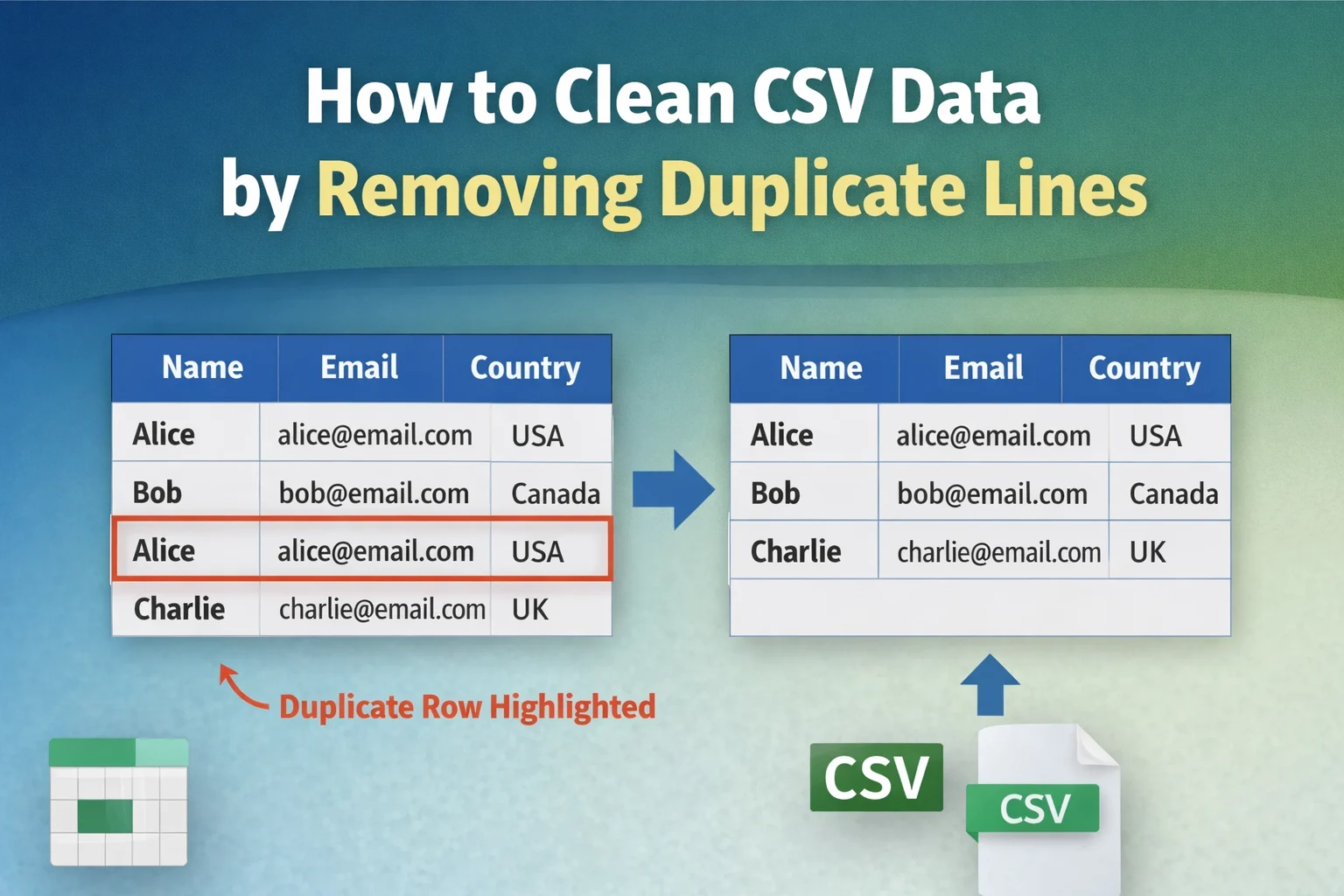
Cleaning CSV data by removing duplicate lines means identifying rows that appear more than once in a dataset and keeping only a single instance of each unique record. Removing duplicate rows improves dataset accuracy, prevents incorrect analysis results, and reduces file size in spreadsheets, databases, and data pipelines.
CSV (Comma-Separated Values) files store tabular data where each row represents a record and each column represents an attribute. Duplicate rows appear when identical records exist multiple times inside the dataset. These duplicates often occur during data imports, API exports, manual editing, or merging datasets from multiple sources.
For example, consider the following CSV dataset:
Name,Email,Country
Alice,alice@email.com,USA
Bob,bob@email.com,Canada
Alice,alice@email.com,USA
Charlie,charlie@email.com,UK
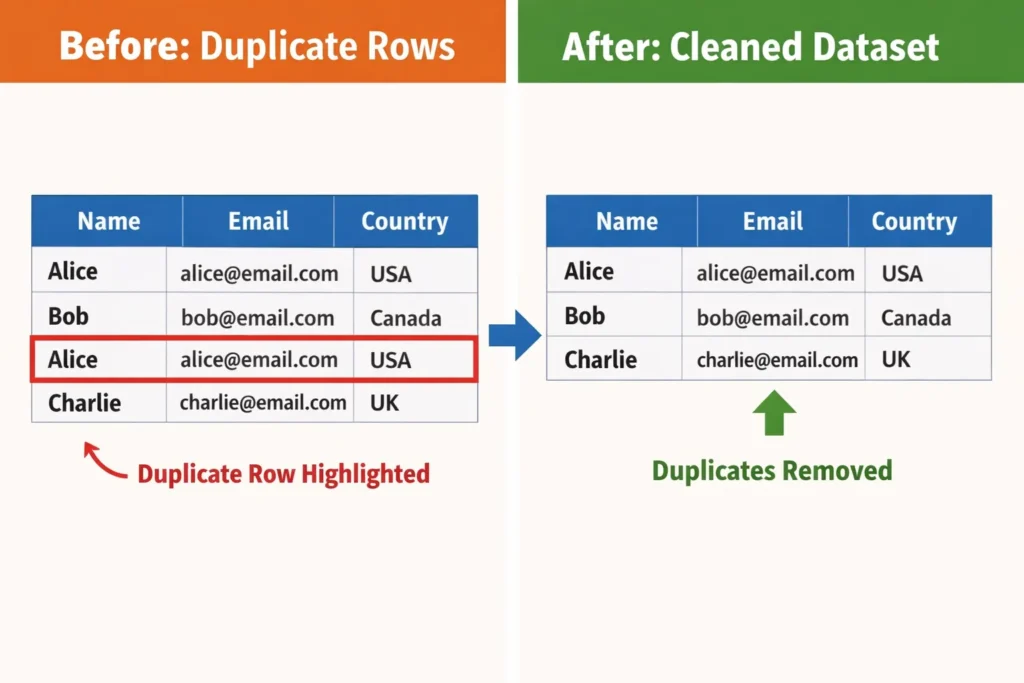
The row containing Alice, alice@email.com, USA appears twice. A clean dataset contains only one instance of that record.
After removing duplicate lines, the dataset becomes:
Name,Email,Country
Alice,alice@email.com,USA
Bob,bob@email.com,Canada
Charlie,charlie@email.com,UK
Removing duplicates ensures that every record in the dataset represents unique information rather than repeated entries.
This guide explains:
- what duplicate lines are in CSV files
- why duplicate rows appear in datasets
- methods to remove duplicate CSV rows
- tools that automatically clean CSV files
- best practices for maintaining clean datasets
The goal is to help users maintain accurate, reliable, and efficient datasets for analysis, reporting, and automation.
What Are Duplicate Lines in a CSV File?
Duplicate lines in a CSV file are rows that contain identical values across all columns or across selected columns. When two or more rows store the same data values, those rows represent repeated records rather than unique entries.
CSV files organize information in a row-and-column structure. Each row represents a record, while each column represents an attribute describing that record. When identical rows appear multiple times, the dataset contains duplicate lines.
For example:
ID,Product,Price
101,Laptop,1200
102,Keyboard,50
101,Laptop,1200
103,Mouse,25
The row 101, Laptop, 1200 appears twice. Both rows represent the same product record, which means the dataset contains redundant information.
Duplicate lines create several problems in data processing:
| Data Problem | Explanation |
|---|---|
| Incorrect statistics | Duplicate rows inflate counts and averages |
| Data inconsistency | Multiple identical records create confusion |
| Larger file size | Redundant data increases dataset size |
| Analysis errors | Duplicate records distort insights |
Data cleaning processes therefore include duplicate detection and removal as a core step in preparing datasets for analysis.
Duplicate rows may appear in two forms:
Exact Duplicate Rows
Exact duplicates occur when every column value matches another row exactly.
Example:
Alice,alice@email.com,USA
Alice,alice@email.com,USA
Both rows contain identical values.
Partial Duplicate Rows
Partial duplicates occur when some columns match while others differ.
Example:
Alice,alice@email.com,USA
Alice,alice@email.com,Canada
Both rows share the same name and email but differ in country. Depending on the dataset rules, this situation may or may not count as a duplicate.
Understanding the difference between exact and partial duplicates helps determine how duplicate removal should be performed.
Why Duplicate Rows Appear in CSV Data
Duplicate rows appear in CSV datasets when data collection, integration, or export processes create repeated records. Several common scenarios introduce duplicates into tabular datasets.
Understanding these causes helps prevent duplicate records before they enter a dataset.
1. Data Imports From Multiple Sources
Organizations frequently merge datasets from multiple systems such as CRM tools, spreadsheets, or APIs. If the same record exists in multiple systems, merging the datasets can create duplicate rows.
Example scenario:
- CRM export contains customer data
- Email marketing platform export contains similar records
- Combined dataset duplicates customers
2. Repeated Data Entry
Manual data entry often creates duplicates when users enter the same record more than once. This problem commonly occurs in contact lists, survey data, and inventory spreadsheets.
Example:
John Doe,john@email.com
John Doe,john@email.com
3. API or Database Export Issues
Automated data pipelines sometimes export records multiple times due to synchronization errors or repeated queries.
For example, a daily export job may append records instead of updating them, resulting in repeated rows.
4. Dataset Merging or Appending
When multiple CSV files are combined into a single dataset, duplicate rows may appear if the files contain overlapping records.
Example:
File A:
Alice,alice@email.com
Bob,bob@email.com
File B:
Alice,alice@email.com
Charlie,charlie@email.com
Combined dataset:
Alice,alice@email.com
Bob,bob@email.com
Alice,alice@email.com
Charlie,charlie@email.com
The record for Alice appears twice.
How to Clean CSV Data by Removing Duplicate Lines
Cleaning CSV data by removing duplicate lines involves identifying repeated rows in a dataset and keeping only one unique instance of each record. Duplicate removal processes compare rows across all columns or selected columns and eliminate repeated entries to maintain dataset integrity.
Several methods exist for removing duplicate lines from CSV files. The most common approaches include:
- spreadsheet tools such as Excel or Google Sheets
- scripting solutions using Python or data processing libraries
- database queries such as SQL
- specialized online CSV cleaning tools
Each method achieves the same goal: ensuring that every row in the dataset represents unique information rather than repeated records.
The best method depends on dataset size, technical skill level, and the tools available to the user.
Method 1: Remove Duplicate CSV Rows Using an Online Tool
An online duplicate removal tool provides the fastest and simplest method for cleaning CSV datasets. Instead of writing scripts or manually filtering rows, users can paste the dataset into a web tool that automatically removes repeated lines.
Online tools work by scanning the dataset line by line, identifying rows that contain identical values, and returning a cleaned version of the dataset that contains only unique rows.
Users can quickly clean CSV data by visiting the TextToolz tool and utilize the duplicate line remover to automatically remove repeated lines.
The process typically involves three steps.
Step 1: Paste the CSV Data
Users paste the CSV dataset into the input area of the tool.
Example dataset containing duplicates:
Name,Email,Country
Alice,alice@email.com,USA
Bob,bob@email.com,Canada
Alice,alice@email.com,USA
Charlie,charlie@email.com,UK
Step 2: Remove Duplicate Lines
The tool scans the dataset and removes rows that appear more than once.
Step 3: Copy the Clean Dataset
The cleaned dataset contains only unique rows.
Clean result:
Name,Email,Country
Alice,alice@email.com,USA
Bob,bob@email.com,Canada
Charlie,charlie@email.com,UK
Online tools work well for:
- quick dataset cleaning
- removing duplicate rows from exported reports
- cleaning small to medium CSV datasets
- preparing data for spreadsheets or analytics
Because the duplicate removal process happens instantly, online tools save time compared to manual filtering methods.
Method 2: Remove Duplicate CSV Rows Using Microsoft Excel
Microsoft Excel provides a built-in feature called Remove Duplicates that automatically deletes repeated rows from spreadsheet datasets. This method works well for CSV files that users open and edit inside Excel.
The Excel duplicate removal feature compares rows across selected columns and removes repeated records while keeping one unique entry.
The process involves the following steps.
Step 1: Open the CSV File in Excel
Open Microsoft Excel and load the CSV file containing duplicate rows.
Example dataset:
| Name | Country | |
|---|---|---|
| Alice | alice@email.com | USA |
| Bob | bob@email.com | Canada |
| Alice | alice@email.com | USA |
| Charlie | charlie@email.com | UK |
Step 2: Select the Dataset
Highlight the entire dataset including the header row.
Step 3: Use the Remove Duplicates Feature
Navigate to:
Data → Remove Duplicates
Excel opens a dialog box where users select the columns used for duplicate detection.
Step 4: Confirm Duplicate Removal
Excel scans the dataset and removes repeated rows automatically.
Cleaned dataset:
| Name | Country | |
|---|---|---|
| Alice | alice@email.com | USA |
| Bob | bob@email.com | Canada |
| Charlie | charlie@email.com | UK |
Excel also displays a summary message indicating how many duplicate rows were removed.
This method works best when users prefer visual data editing inside spreadsheet software.
Method 3: Remove Duplicate CSV Rows Using Google Sheets
Google Sheets offers functionality similar to Excel for removing duplicate rows. The platform includes a Remove duplicates option that analyzes the dataset and deletes repeated entries.
This method works well for users who store CSV datasets in cloud-based spreadsheets.
The process involves the following steps.
Step 1: Upload the CSV File to Google Sheets
Open Google Sheets and upload the CSV file containing duplicate rows.
Example dataset:
| ID | Product | Price |
|---|---|---|
| 101 | Laptop | 1200 |
| 102 | Keyboard | 50 |
| 101 | Laptop | 1200 |
| 103 | Mouse | 25 |
Step 2: Select the Entire Dataset
Highlight all rows and columns in the spreadsheet.
Step 3: Use the Remove Duplicates Tool
Navigate to:
Data → Data cleanup → Remove duplicates
Google Sheets analyzes the dataset and removes repeated rows.
Step 4: Review the Cleaned Dataset
After duplicate removal, the spreadsheet contains only unique rows.
| ID | Product | Price |
|---|---|---|
| 101 | Laptop | 1200 |
| 102 | Keyboard | 50 |
| 103 | Mouse | 25 |
Google Sheets also reports how many duplicate rows were removed.
This method works well for collaborative data cleaning and cloud-based workflows.
Method 4: Remove Duplicate CSV Rows Using Python
Python provides powerful data processing tools for removing duplicate rows from CSV files. The Pandas library includes built-in functions that identify and remove duplicate records from datasets.
Python-based data cleaning is commonly used in data science, machine learning pipelines, and automated data processing systems.
Example Python script:
import pandas as pddata = pd.read_csv("data.csv")clean_data = data.drop_duplicates()clean_data.to_csv("clean_data.csv", index=False)
This script performs three operations:
| Step | Operation |
|---|---|
| 1 | Load CSV file into a dataframe |
| 2 | Remove duplicate rows using drop_duplicates() |
| 3 | Save cleaned dataset to a new CSV file |
Python-based duplicate removal works best for:
- large datasets
- automated workflows
- machine learning pipelines
- backend data processing systems
Developers and data engineers frequently use Python scripts to maintain clean and structured datasets.
How to Identify Duplicate Lines in a CSV Dataset
Identifying duplicate lines in a CSV dataset involves comparing rows to determine whether two or more records contain identical values across all columns or across specific columns. Duplicate detection processes analyze the dataset structure and identify repeated records that represent the same information.
Duplicate identification usually happens before duplicate removal because users often need to verify which rows are repeated before deleting them.
For example, consider the following CSV dataset:
ID,Name,Email
101,Alice,alice@email.com
102,Bob,bob@email.com
101,Alice,alice@email.com
103,Charlie,charlie@email.com
The record containing ID 101, Alice, alice@email.com appears twice. A duplicate detection process flags the repeated row so users can remove the redundant entry.
Duplicate detection tools typically analyze datasets using two approaches:
| Detection Method | Description |
|---|---|
| Full-row comparison | Compares every column in a row |
| Column-based comparison | Compares selected columns such as email or ID |
Full-row comparison identifies exact duplicates, while column-based comparison identifies records that represent the same entity but contain slight variations.
Understanding how duplicate detection works helps users determine which records should remain in the dataset and which records should be removed.
Exact Duplicate vs Conditional Duplicate Rows
Duplicate rows in CSV datasets appear in two main forms: exact duplicates and conditional duplicates. Understanding the difference helps determine the correct data cleaning strategy.
Exact Duplicate Rows
Exact duplicates occur when every column value in two rows is identical.
Example dataset:
Name,Email,Country
Alice,alice@email.com,USA
Bob,bob@email.com,Canada
Alice,alice@email.com,USA
The row containing Alice, alice@email.com, USA appears twice with identical values in every column.
Exact duplicates represent the simplest case of duplicate removal. Cleaning tools remove one instance while keeping the other.
After removal:
Name,Email,Country
Alice,alice@email.com,USA
Bob,bob@email.com,Canada
Exact duplicates commonly appear when datasets are exported multiple times or when files are merged.
Conditional Duplicate Rows
Conditional duplicates occur when some columns match while others contain different values. These records may represent the same entity but contain inconsistent data.
Example dataset:
Name,Email,Country
Alice,alice@email.com,USA
Alice,alice@email.com,Canada
Both rows represent the same person but contain different country values.
Conditional duplicates require column-based duplicate detection. Instead of comparing entire rows, the dataset compares key attributes such as email address or user ID.
Example duplicate key:
| Duplicate Key | Purpose |
|---|---|
| Unique identifier for a user | |
| Customer ID | Unique identifier for a customer |
| Product SKU | Unique identifier for products |
Using a duplicate key helps determine whether records represent the same entity.
Choosing the Correct Columns for Duplicate Detection
Selecting the correct columns for duplicate detection determines which rows count as duplicates during the cleaning process. Many datasets contain unique identifiers that help identify repeated records.
For example, consider the following customer dataset:
CustomerID,Name,Email,Country
101,Alice,alice@email.com,USA
102,Bob,bob@email.com,Canada
103,Alice,alice@email.com,USA
Although the rows contain different customer IDs, the email address identifies the same person.
Duplicate detection based on the Email column identifies the repeated record.
Duplicate detection based on the CustomerID column would not detect duplicates because each ID is unique.
Selecting the correct duplicate key ensures that the cleaning process removes redundant records while preserving legitimate data.
The following table shows common duplicate detection keys.
| Dataset Type | Duplicate Key Column |
|---|---|
| Customer datasets | Email or customer ID |
| Product datasets | SKU or product ID |
| User accounts | Username or email |
| Transaction records | Transaction ID |
Using the correct key column prevents accidental deletion of valid data.
Best Practices for Cleaning CSV Data
Cleaning CSV datasets effectively requires systematic data validation and duplicate removal processes. Following best practices ensures that datasets remain accurate, consistent, and reliable for analysis.
1. Validate Data Before Removing Duplicates
Always inspect the dataset before removing duplicate rows. Some repeated records may contain valuable differences that should remain in the dataset.
Example scenario:
UserID,Email,Subscription
101,user@email.com,Free
101,user@email.com,Premium
These rows represent different subscription states rather than duplicates.
Validating the dataset prevents accidental loss of important information.
2. Use Unique Identifiers
Datasets that include unique identifiers such as IDs, emails, or product codes make duplicate detection easier and more reliable.
Example dataset:
UserID,Name,Email
101,Alice,alice@email.com
102,Bob,bob@email.com
Unique identifiers allow duplicate detection systems to identify repeated records quickly.
3. Clean Data Regularly
Duplicate records accumulate over time when datasets grow through imports, updates, and integrations. Regular cleaning prevents datasets from becoming inconsistent or difficult to analyze.
Organizations often implement scheduled cleaning tasks to maintain data quality.
4. Use Automated Tools for Large Datasets
Manual duplicate removal becomes difficult when datasets contain thousands or millions of rows. Automated tools process large datasets more efficiently and reduce the risk of human error.
Online tools, scripts, and database queries provide scalable solutions for cleaning large datasets.
For quick cleaning of exported CSV files, users can utilize the duplicate line remover to automatically detect and remove repeated rows.
Automated duplicate removal helps maintain clean, reliable datasets used in analytics and data processing pipelines.
Data Cleaning Workflow for CSV Files
Effective CSV cleaning follows a structured workflow that ensures data accuracy before analysis or processing. Removing duplicates represents one step within a broader data preparation process.
A typical data cleaning workflow includes the following steps.
1. Data Collection
Data originates from multiple sources such as:
- APIs
- spreadsheets
- databases
- web exports
- application logs
Combining these sources often introduces duplicate records.
2. Data Inspection
Before modifying the dataset, analysts inspect the data to identify problems such as:
- duplicate rows
- missing values
- formatting inconsistencies
- incorrect column types
Inspection tools include spreadsheets, data visualization dashboards, and automated validation scripts.
3. Duplicate Detection
The dataset is scanned to identify repeated records using either:
| Detection Strategy | Description |
|---|---|
| Full-row comparison | Detect identical rows |
| Key column comparison | Detect duplicates using unique identifiers |
Duplicate detection helps determine which records should remain and which should be removed.
4. Duplicate Removal
Once duplicate rows are identified, the dataset removes repeated records while keeping one unique entry.
Users can perform this step manually using spreadsheet tools or automatically using scripts and online utilities. For quick cleaning of exported CSV files, users can utilize the duplicate line remover to instantly remove repeated rows.
Automated duplicate removal tools provide the fastest way to clean CSV datasets without writing scripts.
5. Dataset Validation
After duplicate removal, analysts verify that the dataset still contains valid and complete records.
Validation ensures that the cleaning process did not accidentally remove important information.
Common validation checks include:
- verifying row counts
- confirming unique identifiers
- checking column consistency
A validated dataset becomes ready for analytics, reporting, or database import.
Information Gain Insight: Duplicate Data in Real Datasets
Large datasets frequently contain significant duplicate records due to system integrations and repeated data exports. Data quality studies conducted by industry research organizations estimate that duplicate records often represent 10–30% of entries in uncleaned datasets.
Duplicate accumulation occurs when organizations combine data from multiple systems such as CRM platforms, marketing automation tools, and analytics platforms.
For example:
| Data Source | Duplicate Risk |
|---|---|
| CRM imports | High |
| API exports | Medium |
| Manual spreadsheets | High |
| automated pipelines | Medium |
Removing duplicates therefore represents one of the most important early steps in preparing datasets for reliable analytics.
Cleaning CSV datasets by removing duplicate rows improves data accuracy, processing speed, and analytical reliability. Duplicate lines commonly appear in exported databases, merged spreadsheets, API imports, and log datasets where the same records are appended multiple times. Removing these repeated rows ensures that each record represents a unique observation within the dataset.