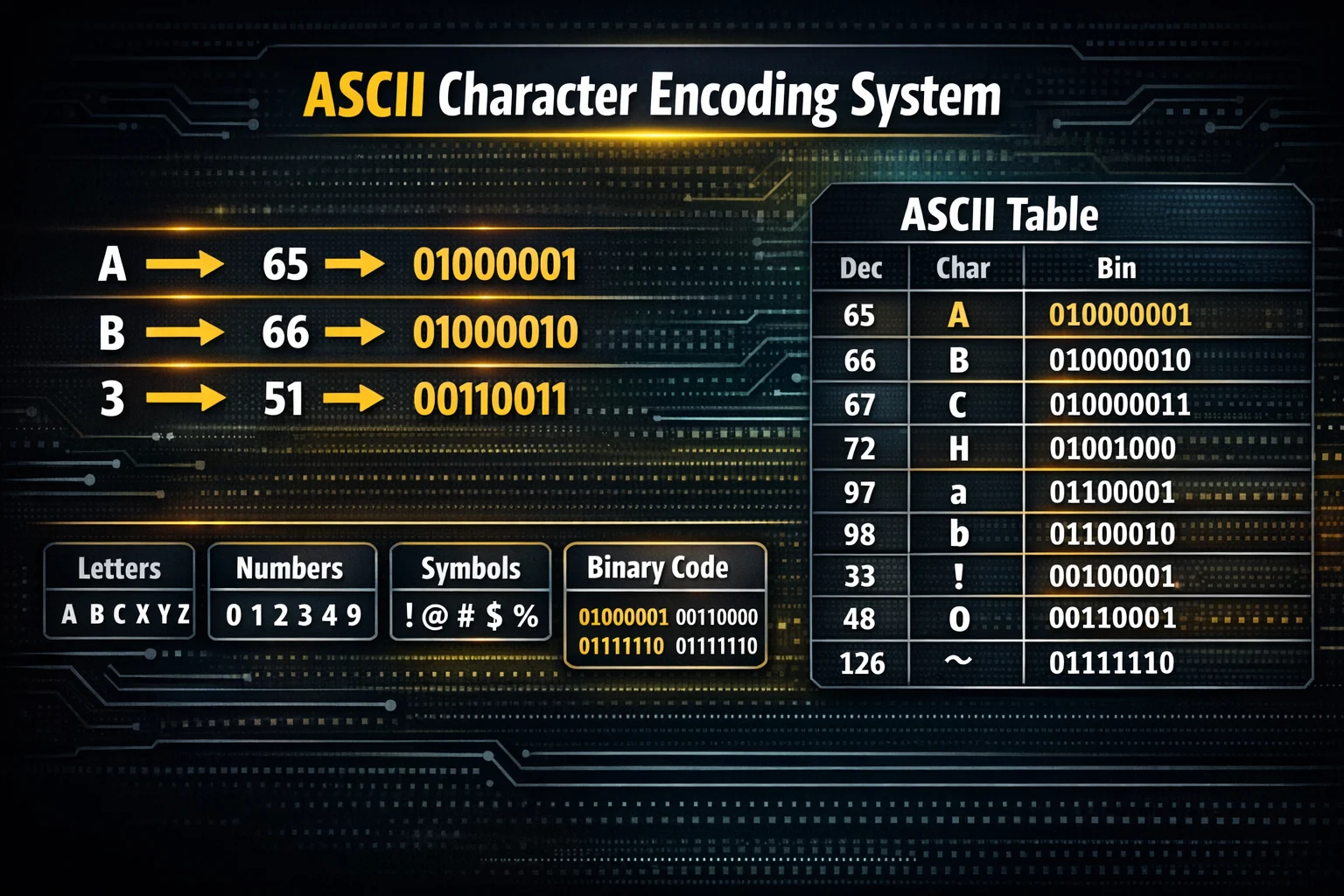
An ASCII table is a structured chart that maps characters such as letters, numbers, punctuation marks, and control commands to numeric codes used by computers. The ASCII table allows digital systems to represent text using numbers so software, operating systems, and communication protocols can process written characters consistently.
The ASCII standard defines 128 core characters using a 7-bit encoding system. Each character corresponds to a numeric value between 0 and 127. These numeric codes allow computers to store and transmit textual information in binary form.
ASCII characters fall into two major categories:
- Control characters (0–31 and 127) used to control devices and text formatting.
- Printable characters (32–126) including letters, numbers, and punctuation.
For example:
| Character | ASCII Decimal | Binary |
|---|---|---|
| A | 65 | 01000001 |
| a | 97 | 01100001 |
| 0 | 48 | 00110000 |
| Space | 32 | 00100000 |
The ASCII table became the foundation of modern text encoding systems such as Unicode, UTF-8, and ISO-8859 character sets.
ASCII Full Form
ASCII stands for American Standard Code for Information Interchange. The ASCII standard defines how computers encode text characters using numeric codes so digital devices can exchange information reliably.
The ASCII encoding system was standardized in 1963 by the American National Standards Institute (ANSI) to ensure compatibility between early computer systems, printers, and communication terminals.
Key properties of ASCII include:
| Entity | Attribute | Value |
|---|---|---|
| ASCII | Full Form | American Standard Code for Information Interchange |
| ASCII | Encoding Type | Character Encoding Standard |
| ASCII | Bit Length | 7-bit |
| ASCII | Character Count | 128 characters |
| ASCII | Extended Version | 256 characters |
The ASCII standard remains important because Unicode retains the first 128 ASCII characters unchanged, ensuring backward compatibility across modern software systems.
What Is ASCII Value?
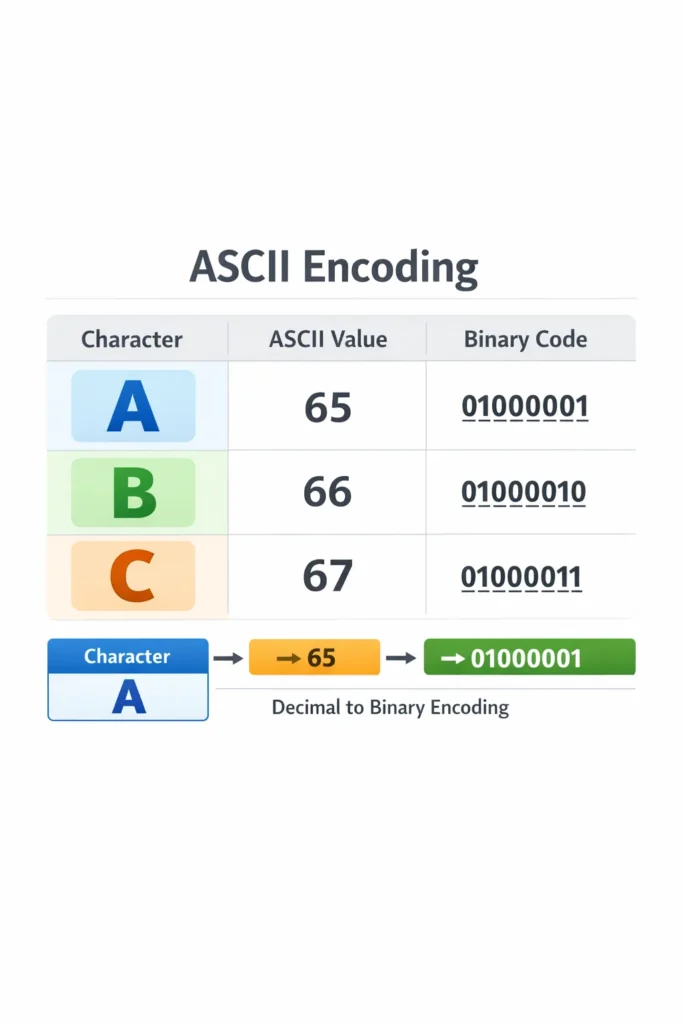
An ASCII value is the numeric representation assigned to a specific character in the ASCII encoding system. Each character, including letters, digits, and symbols, corresponds to a unique decimal number between 0 and 127.
ASCII values allow computers to store characters as numbers and convert them into binary data during processing.
Examples of ASCII values include:
| Character | ASCII Value |
|---|---|
| A | 65 |
| B | 66 |
| C | 67 |
| a | 97 |
| b | 98 |
| 0 | 48 |
| 1 | 49 |
For example, the word DOG converts into ASCII numeric values as:
| Character | ASCII Value |
|---|---|
| D | 68 |
| O | 79 |
| G | 71 |
ASCII encoded sequence:
68 79 71
Programming languages, databases, and network protocols frequently rely on ASCII values when processing text.
ASCII Table Structure

The ASCII table organizes characters into numeric ranges that group similar types of characters together. This structured arrangement simplifies text processing and character classification in programming languages.
The ASCII table contains three primary sections:
- Control Characters (0–31 and 127)
- Numbers and Punctuation (32–64)
- Alphabetic Characters (65–122)
ASCII Character Categories
| ASCII Range | Character Type | Example |
|---|---|---|
| 0–31 | Control Characters | TAB, Line Feed |
| 32–47 | Symbols | ! ” # $ % |
| 48–57 | Digits | 0–9 |
| 58–64 | Symbols | : ; < = > ? |
| 65–90 | Uppercase Letters | A–Z |
| 91–96 | Symbols | [ \ ] ^ _ |
| 97–122 | Lowercase Letters | a–z |
| 123–126 | Symbols | { |
| 127 | Delete Control | DEL |
This logical organization allows programming languages to easily determine whether a character is a digit, letter, or symbol by checking its ASCII value range.
ASCII Code of A to Z
Uppercase letters A to Z correspond to ASCII decimal values from 65 to 90. The ASCII encoding assigns sequential numeric values to alphabet characters to simplify text processing and sorting operations.
ASCII Value of Uppercase Letters
| Letter | ASCII Decimal | Binary |
|---|---|---|
| A | 65 | 01000001 |
| B | 66 | 01000010 |
| C | 67 | 01000011 |
| D | 68 | 01000100 |
| E | 69 | 01000101 |
| F | 70 | 01000110 |
| G | 71 | 01000111 |
| H | 72 | 01001000 |
| I | 73 | 01001001 |
| J | 74 | 01001010 |
| K | 75 | 01001011 |
| L | 76 | 01001100 |
| M | 77 | 01001101 |
| N | 78 | 01001110 |
| O | 79 | 01001111 |
| P | 80 | 01010000 |
| Q | 81 | 01010001 |
| R | 82 | 01010010 |
| S | 83 | 01010011 |
| T | 84 | 01010100 |
| U | 85 | 01010101 |
| V | 86 | 01010110 |
| W | 87 | 01010111 |
| X | 88 | 01011000 |
| Y | 89 | 01011001 |
| Z | 90 | 01011010 |
These values are widely used in programming operations such as character comparison, sorting, and encoding algorithms.
ASCII Value of a to z
Lowercase letters a to z correspond to ASCII decimal values from 97 to 122. The ASCII encoding places lowercase letters after uppercase letters and additional symbol characters.
ASCII Value of Lowercase Letters
| Letter | ASCII Decimal | Binary |
|---|---|---|
| a | 97 | 01100001 |
| b | 98 | 01100010 |
| c | 99 | 01100011 |
| d | 100 | 01100100 |
| e | 101 | 01100101 |
| f | 102 | 01100110 |
| g | 103 | 01100111 |
| h | 104 | 01101000 |
| i | 105 | 01101001 |
| j | 106 | 01101010 |
| k | 107 | 01101011 |
| l | 108 | 01101100 |
| m | 109 | 01101101 |
| n | 110 | 01101110 |
| o | 111 | 01101111 |
| p | 112 | 01110000 |
| q | 113 | 01110001 |
| r | 114 | 01110010 |
| s | 115 | 01110011 |
| t | 116 | 01110100 |
| u | 117 | 01110101 |
| v | 118 | 01110110 |
| w | 119 | 01110111 |
| x | 120 | 01111000 |
| y | 121 | 01111001 |
| z | 122 | 01111010 |
Lowercase letters follow uppercase letters because ASCII groups characters logically according to usage frequency and device compatibility.
ASCII Table Binary Representation
ASCII characters can be represented in binary form because computers store all information using binary digits. The ASCII encoding uses a 7-bit binary sequence to represent characters.
Binary ASCII representation enables low-level system operations such as memory storage and network communication.
Examples of ASCII binary encoding:
| Character | Decimal | Binary |
|---|---|---|
| A | 65 | 01000001 |
| B | 66 | 01000010 |
| C | 67 | 01000011 |
| a | 97 | 01100001 |
| b | 98 | 01100010 |
Binary ASCII values are essential for:
- computer memory storage
- data transmission protocols
- machine-level programming
- network packet encoding
ASCII Table 256 (Extended ASCII)
Extended ASCII expands the character range from 128 characters to 256 characters using an 8-bit encoding system. Extended ASCII introduces additional language characters, mathematical symbols, and graphical characters.
Extended ASCII includes characters such as:
- ñ (Spanish letter)
- Ç (Latin character)
- ß (German sharp S)
- £ (British currency symbol)
- © (copyright symbol)
Extended ASCII was widely used in MS-DOS, IBM PC code pages, and early desktop operating systems.
However, Extended ASCII implementations varied between systems because different code pages assigned different characters to the same numeric values.
ASCII Table in Programming Languages
Programming languages rely on ASCII encoding to store and manipulate characters in memory. Most languages internally represent characters using ASCII-compatible numeric values.
ASCII Table in C++
C++ stores characters as numeric values derived from ASCII encoding.
Example:
#include <iostream>
using namespace std;int main() {
    char letter = 'A';
    cout << int(letter);
}
Output:
65
The C++ compiler converts the character A into its ASCII value automatically.
ASCII Table in Python
Python provides built-in functions for ASCII conversion.
Example:
print(ord('A'))
Output:
65
Reverse conversion:
print(chr(65))
Output:
A
These functions simplify character encoding operations in text processing scripts.
ASCII to Text Conversion
ASCII to text conversion transforms numeric ASCII codes back into readable characters. Conversion tools decode ASCII values into human-readable strings.
Example ASCII sequence:
72 101 108 108 111
Decoded text:
Hello
ASCII converters perform this transformation automatically.
Steps to convert ASCII to text:
- Enter ASCII numeric values.
- Convert numbers into corresponding ASCII characters.
- Combine characters into readable text.
ASCII conversion tools are commonly used in cybersecurity exercises, programming tutorials, and encoding experiments.
What Is ASCII Art?
ASCII art is a visual representation of images or shapes created using ASCII characters such as letters, numbers, and symbols. ASCII art arranges characters like #, *, @, and / into structured patterns so text-only environments such as terminals or plain-text files can display graphical designs.
ASCII art became popular in early computing environments where graphic rendering was unavailable. Bulletin board systems, command-line interfaces, and early internet forums widely used ASCII art for logos, banners, and decorative text.
Common ASCII art applications include:
- Terminal banners and CLI interfaces
- Hacker culture graphics
- Text-based games
- Email signatures
- Programming tutorials
Example ASCII heart:
  **     **
 ****** ******
**************
 ************
  **********
   ********
    ******
     ****
ASCII art generators automate the creation process by converting images or text into character-based graphics.
What Is an ASCII Generator?
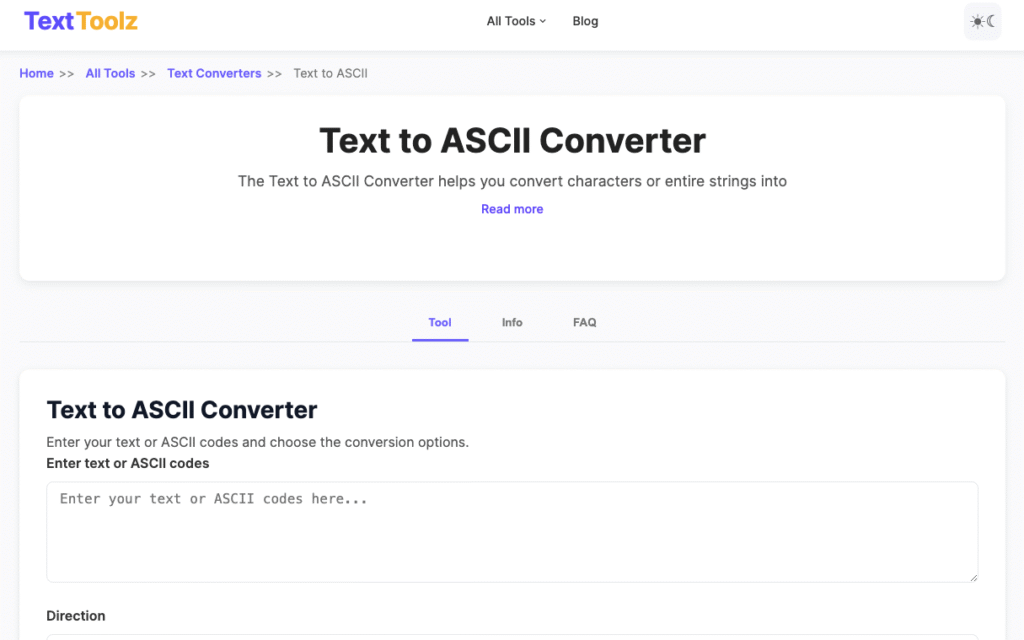
An ASCII generator is a software tool that converts regular text or images into ASCII code sequences or ASCII-style text graphics. ASCII generators simplify the process of encoding characters or creating visual ASCII art without manually mapping characters to numeric codes.
For example, a text-to-ASCII generator converts a word such as:
HELLO
into ASCII numeric values:
72 69 76 76 79
Users can convert text to ASCII instantly using the TextToolz tool:
https://texttoolz.com/tools/text-to-ascii
The tool automatically converts input text into ASCII codes and allows users to copy the encoded output.
Typical use cases of ASCII generators include:
- programming education
- cybersecurity exercises
- encoding demonstrations
- text conversion tasks
- computer science learning
What Are ASCII Emojis?
ASCII emojis are emoticons created using ASCII characters that visually represent facial expressions, emotions, or symbolic gestures. ASCII emojis use characters such as parentheses, colons, and symbols to create expressive combinations.
ASCII emoticons became widely used in early internet communication before graphical emoji systems existed.
Common ASCII emojis include:
| ASCII Emoji | Meaning |
|---|---|
| 🙂 | Smile |
| 🙁 | Sad |
| 😀 | Laugh |
| 😉 | Wink |
| 😛 | Playful expression |
| ^_^ | Happy |
| -_- | Unimpressed |
ASCII emojis remain common in developer communities, online forums, and chat platforms because they work in plain-text environments without requiring graphic rendering.
What Is an ASCII Heart?
An ASCII heart is a symbolic heart shape created using ASCII characters arranged in a pattern that visually resembles a heart. ASCII hearts typically use characters such as *, <, and numbers to form simple shapes.
Examples of ASCII hearts include:
Simple ASCII heart:
<3
Large ASCII heart:
  ***   ***
 ***** *****
*************
 ***********
  *********
   *******
    *****
     ***
ASCII hearts are widely used in chat messages, text signatures, and creative writing.
ASCII vs Unicode
ASCII is a character encoding system limited to 128 characters, while Unicode is a universal encoding system that supports more than 149,000 characters across multiple languages and scripts. Unicode extends ASCII by including global writing systems, emojis, and additional symbols.
Comparison between ASCII and Unicode:
| Attribute | ASCII | Unicode |
|---|---|---|
| Character Capacity | 128 | 149,000+ |
| Encoding Bits | 7-bit | Variable |
| Language Support | English only | All languages |
| Emoji Support | No | Yes |
| Compatibility | Legacy systems | Modern systems |
Unicode maintains compatibility with ASCII because the first 128 Unicode characters match ASCII codes exactly.
Modern systems use UTF-8 encoding, which preserves ASCII while supporting thousands of additional characters.
How to Convert Text to ASCII Codes
Text-to-ASCII conversion transforms readable characters into numeric ASCII codes that computers use for data processing. Conversion tools map each character to its corresponding ASCII decimal value.
Users can convert text to ASCII automatically using the TextToolz converter:
Steps to Convert Text to ASCII
- Enter text into the ASCII converter tool.
- The tool maps each character to its ASCII value.
- The output displays ASCII numbers separated by spaces.
- Copy the generated ASCII codes for use in programming or analysis.
Example conversion:
Input text:
Hi
ASCII output:
72 105
The conversion works because:
| Character | ASCII Value |
|---|---|
| H | 72 |
| i | 105 |
ASCII conversion tools simplify encoding tasks for developers and students learning computer science.
ASCII to Text Conversion
ASCII to text conversion reverses ASCII encoding by translating numeric ASCII values back into readable characters. The conversion process reads each numeric value and replaces it with the corresponding ASCII character.
Example ASCII sequence:
72 101 108 108 111
Decoded text:
Hello
Steps for ASCII decoding:
- Identify numeric ASCII values.
- Map each number to the ASCII character table.
- Combine characters sequentially to form words.
ASCII decoding tools automate this process and are frequently used in programming education and cybersecurity exercises.
Real-World Applications of ASCII
ASCII encoding supports many fundamental computing operations because computers process characters as numeric values. ASCII remains widely used in software systems due to its simplicity and compatibility with modern encoding standards.
Major ASCII applications include:
1. Programming Languages
Programming languages such as C, Python, and Java store characters internally using ASCII-compatible encoding systems.
2. Data Transmission
Network protocols transmit text using ASCII values to ensure reliable communication between devices.
3. Command-Line Interfaces
Terminal environments use ASCII characters to render commands, outputs, and interface text.
4. File Storage
Plain text files such as .txt, .csv, and configuration files rely on ASCII-compatible encoding.
5. Cybersecurity Training
Security professionals analyze ASCII encoding during exercises involving encryption, decoding, and malware analysis.
ASCII remains essential because UTF-8 encoding preserves ASCII characters for backward compatibility.
ASCII encoding uses a predictable numeric offset between uppercase and lowercase letters. Lowercase ASCII letters appear exactly 32 positions after uppercase letters in the ASCII table.
Example:
| Letter | ASCII Value |
|---|---|
| A | 65 |
| a | 97 |
Calculation:
97 - 65 = 32
Programmers use this numeric property to convert letter cases efficiently.
Example algorithm:
lowercase_letter = uppercase_letter + 32
This ASCII property simplifies case conversion operations in compilers, text processors, and scripting languages.